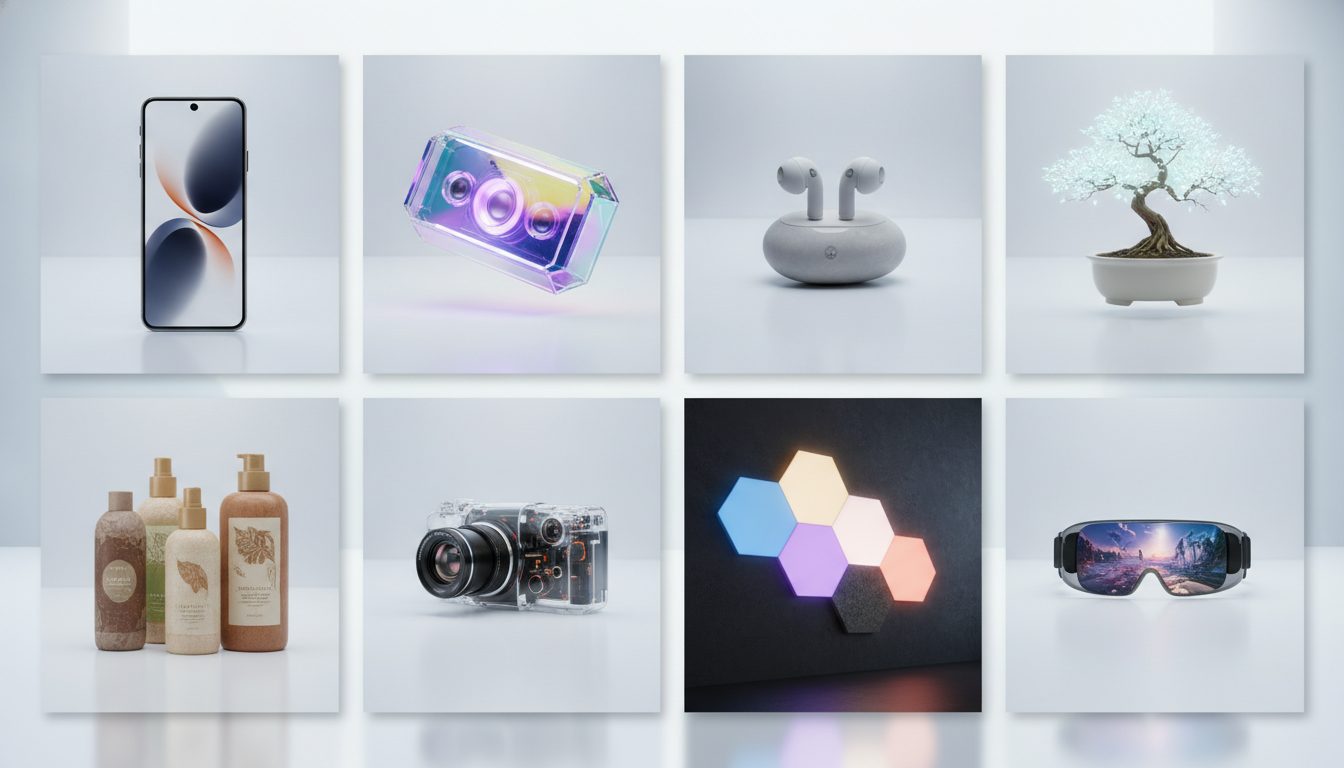
Good AI prompts for product photos follow a simple formula. Describe the product precisely, then add five layers: surface, background, lighting, framing and lens. A prompt built this way tells the AI what to show and also how to photograph it.
Below are 7 product photography prompts you can copy and paste. They cover white-background packshots for product pages, solid-color backdrops for social and banners, lifestyle scenes, flat lays, macro detail shots, launch pedestals and outdoor shots. They work for beauty, fashion, footwear, home goods, jewelry and sporting goods stores. Each prompt comes with a breakdown of why it works and a couple of variations to try.
The formula: how a product prompt is built
Every prompt on this page uses the same structure. Once you understand it, you can write your own without starting from scratch.
- Shot type: product photography, lifestyle product photo, flat lay, macro. This sets the overall style.
- Subject: what the product is, what it's made of, its color and its finish (matte, glossy, frosted).
- Surface and background: what the product sits on and what's behind it.
- Lighting: where the light comes from, whether it's soft or hard, and what shadows it casts.
- Framing and angle: front-on, top-down, low angle or close-up.
- Lens and aperture: focal length (50mm, 85mm, 100mm macro) and f-stop (f/2 blurs the background, f/8 keeps everything sharp).
- Final style: e-commerce style, editorial, luxury advertising.
One word of warning before you start: don't ask for text or logos inside the image. Image models tend to garble lettering. You'll get cleaner results by adding your branding afterwards in an editor.
1. White-background packshot for your product page
Use it for: the main product image. It works on your own store and on marketplaces that require a clean white background for the primary photo.
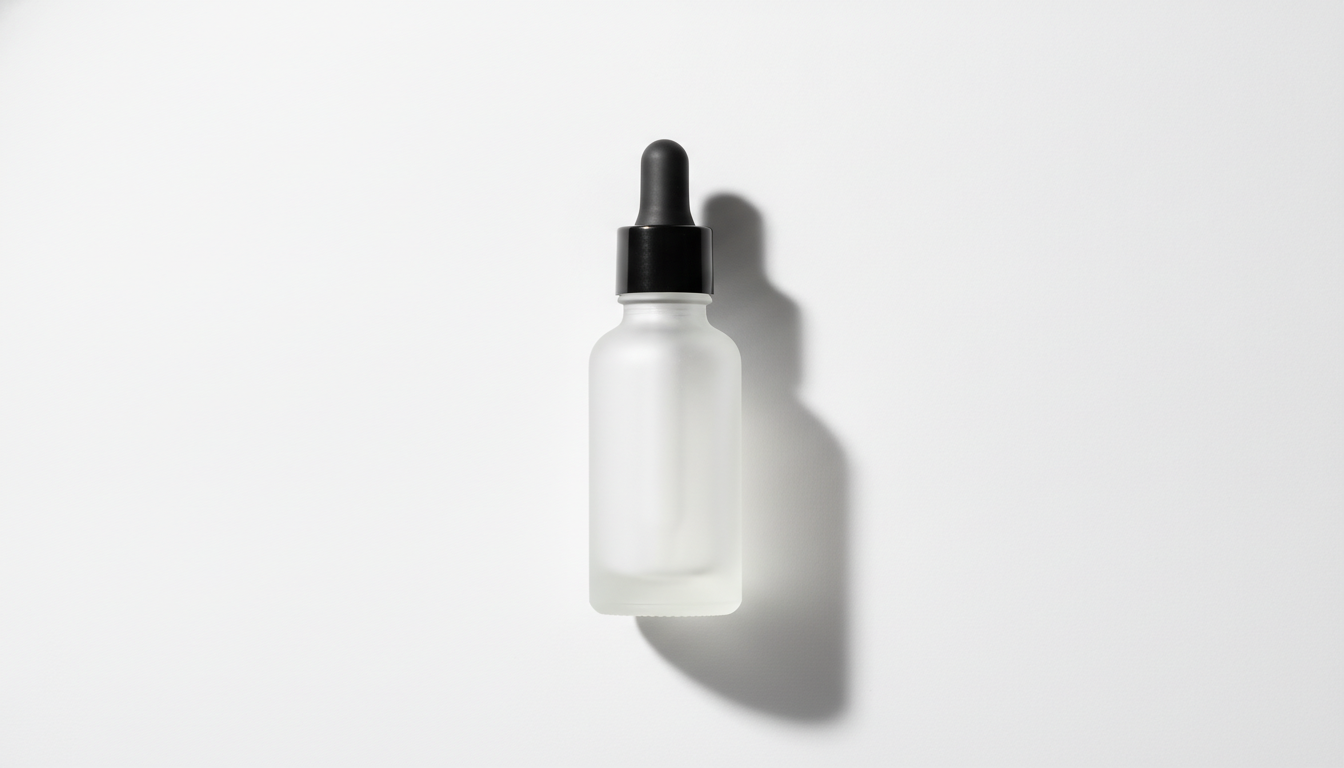
Commercial product photography of a frosted glass serum bottle with a matte black dropper cap, standing upright on a seamless pure white background, soft diffused studio lighting from a large softbox above, subtle natural shadow beneath the bottle, front view at eye level, centered composition, shot on a 100mm lens at f/8, ultra sharp focus, clean and minimal, high resolution
Why it works:
- Seamless pure white background removes the horizon line, so the backdrop stays continuous with no visible corners.
- Soft light from above wraps around the glass without harsh reflections hiding the product.
- The subtle shadow under the bottle grounds it, so it doesn't look like it's floating.
- A 100mm lens avoids the distortion you get with wide focal lengths, and f/8 keeps the whole bottle in focus.
Variations:
- Swap front view at eye level for three-quarter view to show depth and volume.
- Replace the background with white reflective acrylic surface with a soft reflection for a more premium look.
If you already have real photos and just need a white background, use the free background remover. It runs in your browser, and your image is never uploaded to a server.
2. Solid-color backdrop for social and banners
Use it for: campaign images, homepage banners and social posts. These leave room for you to add copy on top.
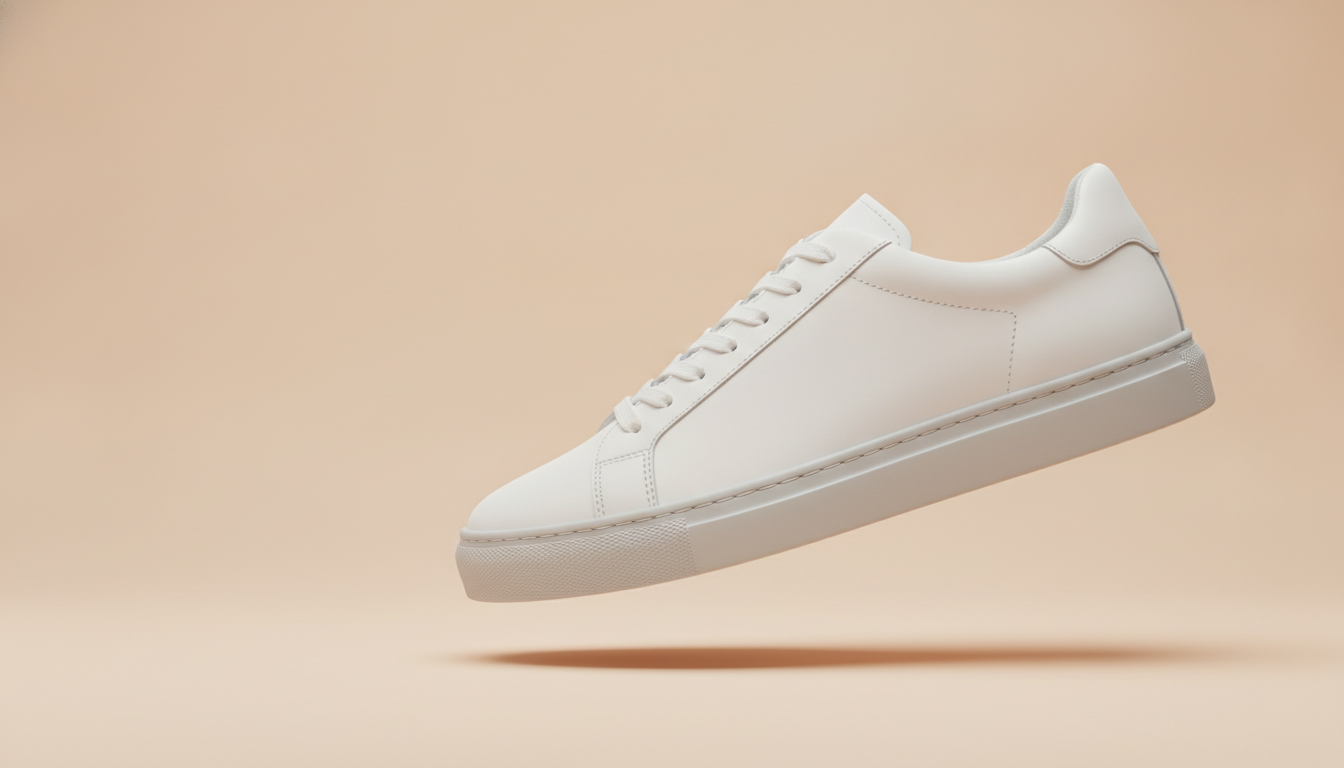
Product photography of a white leather sneaker with a light grey sole, floating at a slight angle against a solid pastel peach background, soft even lighting, gentle drop shadow on the background, side profile view, minimalist composition with empty space on the left, shot on an 85mm lens, crisp details on the leather texture and stitching, modern e-commerce style
Why it works:
- The flat pastel color contrasts with the white sneaker without competing for attention.
- Floating at a slight angle adds movement, and the drop shadow on the backdrop creates depth.
- Empty space on the left reserves a clean area where you can place your banner headline later.
- Calling out the leather texture and stitching pushes the model to render materials carefully.
Variations:
- Match the backdrop to your brand: sage green, cobalt blue or butter yellow.
- Try split two-tone background, peach and terracotta for a bolder, more graphic look.
3. Indoor lifestyle scene
Use it for: showing the product in use. It's a natural fit for kitchenware, decor and home goods, and for the second or third image on a product page.
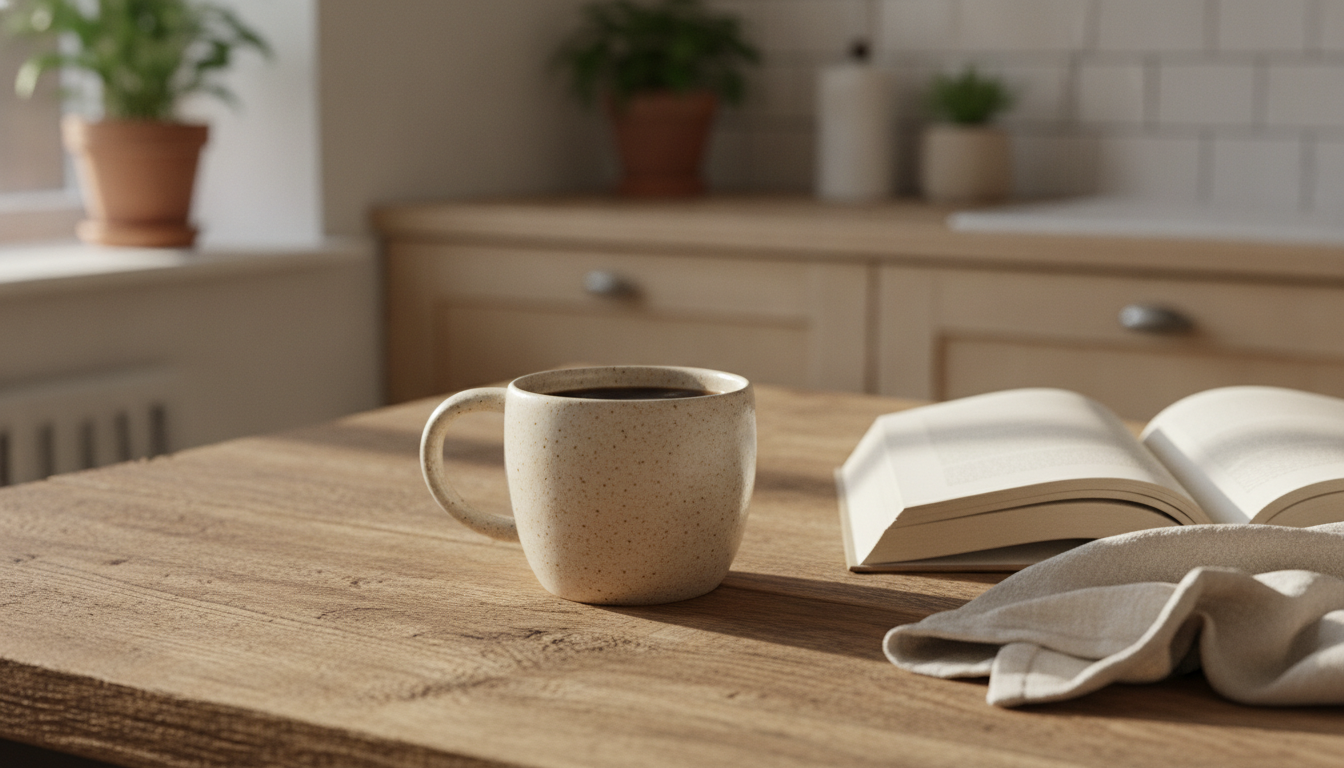
Lifestyle product photo of a handmade ceramic coffee mug with a speckled sand-colored glaze, filled with black coffee, placed on a rustic oak wooden table next to an open book and a linen napkin, warm morning sunlight coming through a window from the left, soft shadows, cozy Scandinavian kitchen softly blurred in the background, shot on a 50mm lens at f/2.8, shallow depth of field, natural and inviting atmosphere
Why it works:
- The book and napkin add context but stay low-key, so the mug remains the hero.
- Side light from the window brings out the texture of the speckled glaze.
- f/2.8 blurs the kitchen behind and separates the product from its surroundings.
- A 50mm lens gives a perspective close to the human eye, which feels natural in everyday scenes.
Variations:
- Evening mood: warm evening light from a table lamp, cozy living room.
- Modern setting: white marble countertop in a minimalist modern kitchen.
4. Top-down flat lay for fashion and accessories
Use it for: showing several products together, like bundles, complete outfits or accessory collections. It works well on Instagram and on category pages.
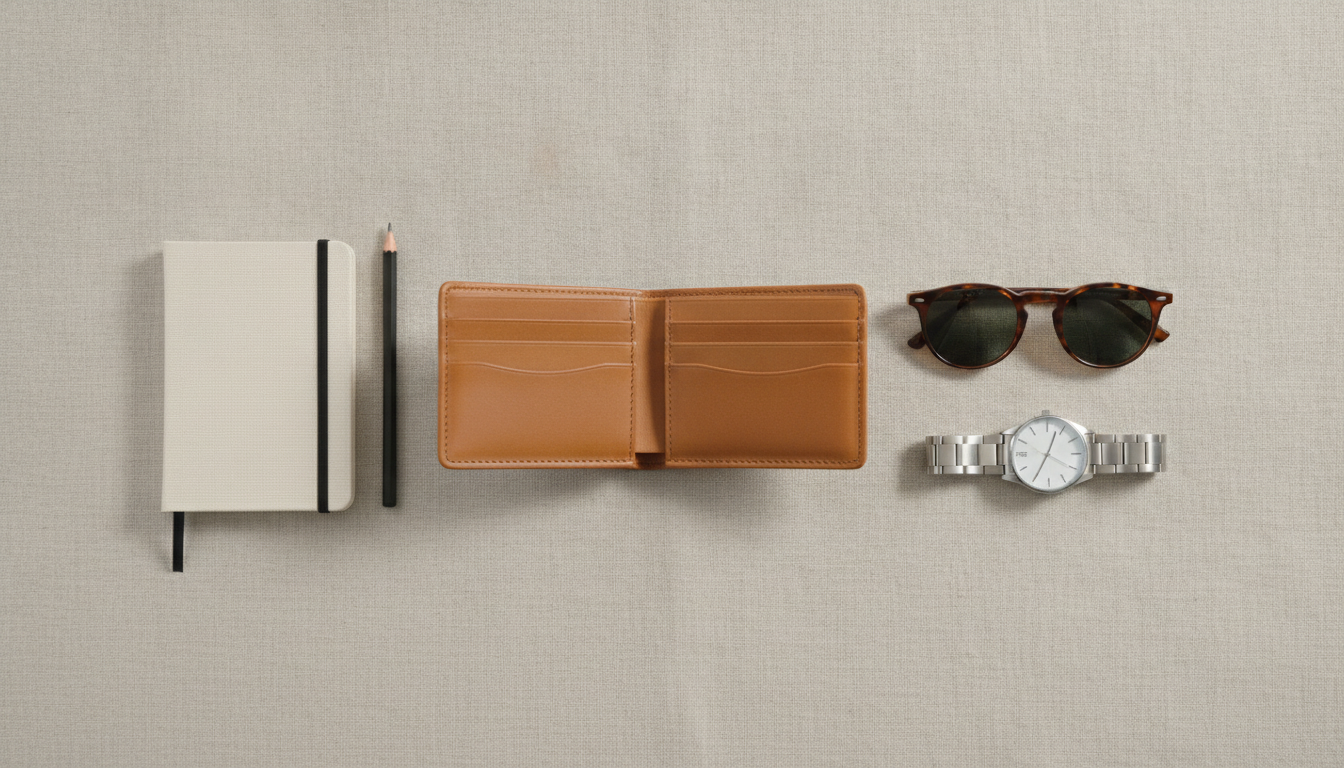
Flat lay product photography of a tan leather wallet, a pair of tortoiseshell sunglasses, a silver wristwatch and a small canvas notebook arranged neatly on a light beige linen fabric, top-down view shot directly from above, soft diffused daylight, minimal soft shadows, balanced composition with even spacing between items, shot on a 35mm lens at f/8, everything in sharp focus, editorial magazine style
Why it works:
- Top-down view shot directly from above locks in the overhead angle. Without it, the model may tilt the camera.
- Since everything sits on the same plane, f/8 keeps every item sharp.
- Linen adds texture without distracting, and even spacing keeps the layout from looking cluttered.
Variations:
- Knolling style: add items arranged at precise right angles in a grid.
- Moodier look: swap the linen for dark slate stone surface.
5. Macro detail shot for jewelry and textures
Use it for: highlighting finishes, gemstones, stitching or textures that get lost in a wide shot. A must for jewelry and watches.
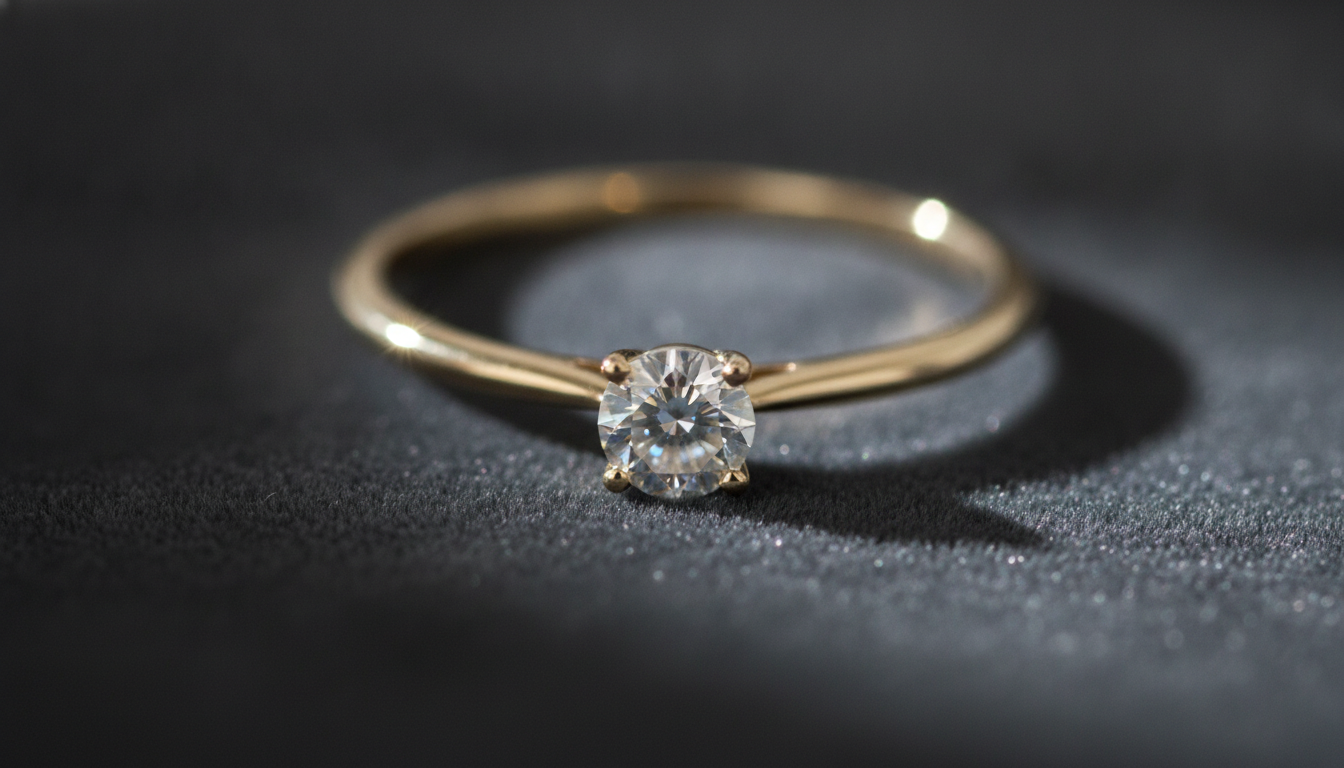
Macro product photography of a gold ring with a small round diamond, resting on a piece of dark grey velvet, dramatic side lighting from a single spotlight creating sparkling highlights on the diamond, deep soft shadows, extreme close-up, shot on a 100mm macro lens at f/4, focus on the gemstone with the band gently falling out of focus, luxury jewelry advertising style
Why it works:
- Dark velvet soaks up light, so the gold and the diamond stand out through contrast.
- A single side spotlight creates sparkle on the stone and shadows with real depth.
- Specifying the focus point (focus on the gemstone) and what falls out of focus guides the eye to the detail that matters.
Variations:
- Silver on marble: silver ring on white Carrara marble, soft daylight.
- Earrings on stone: pair of pearl earrings on a rough natural stone.
6. Pedestal shot for product launches
Use it for: new product campaigns, landing page heroes and ads. It's especially effective for fragrance and beauty.
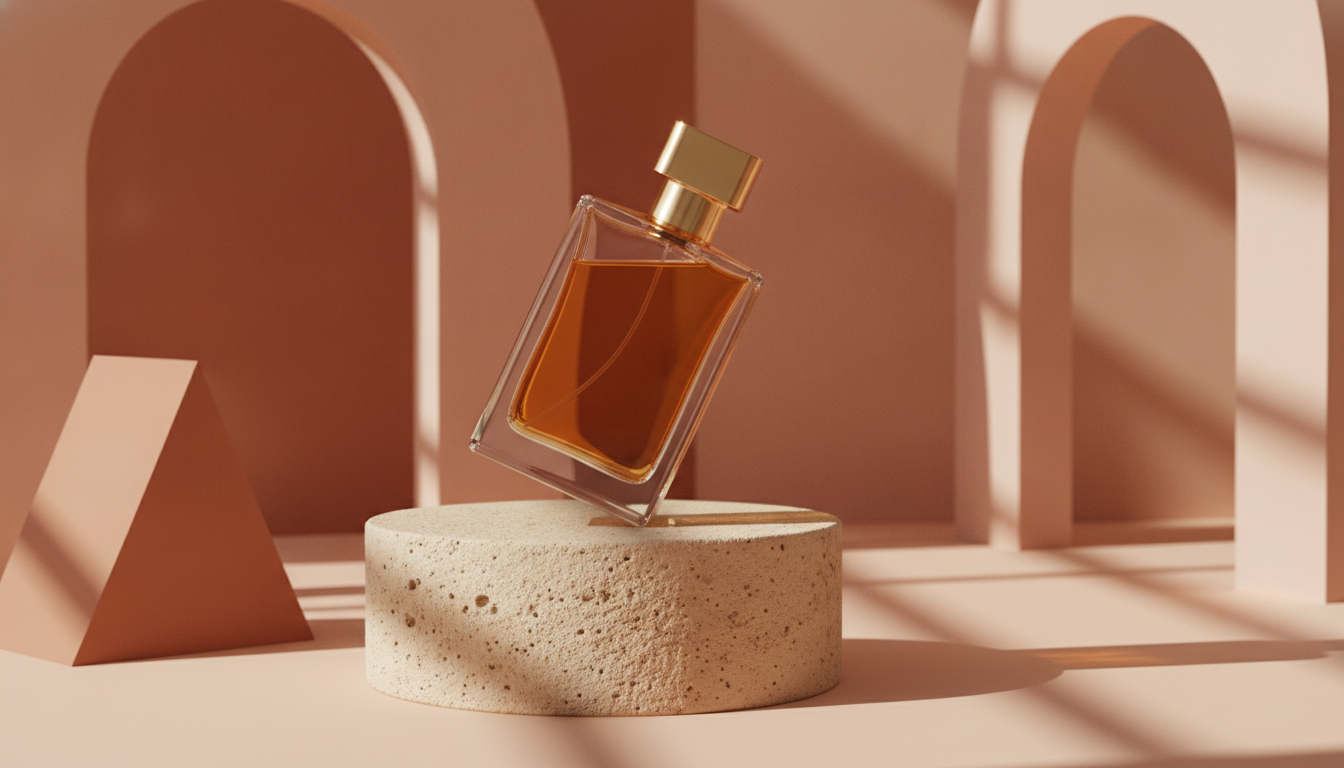
Product photography of a rectangular glass perfume bottle with amber liquid and a gold cap, displayed on a cylindrical beige stone pedestal, surrounded by soft geometric shapes in muted terracotta tones, hard directional sunlight from the right casting sharp elongated shadows, warm color palette, low angle view, shot on a 70mm lens at f/5.6, high-end cosmetic campaign aesthetic
Why it works:
- The pedestal literally and figuratively puts the product on a stage.
- Hard sunlight casts long, graphic shadows that give the image a campaign feel.
- A low angle view makes the bottle look more imposing.
- The warm terracotta palette complements the amber liquid.
Variations:
- Leaf shadows: add shadow of palm leaves falling across the scene.
- Water theme: standing on a wet surface with gentle water ripples, cool blue tones.
7. Outdoor nature shot for sports and adventure gear
Use it for: outdoor, sports, travel or eco-friendly products, when you want to tie the product to a place and a feeling.
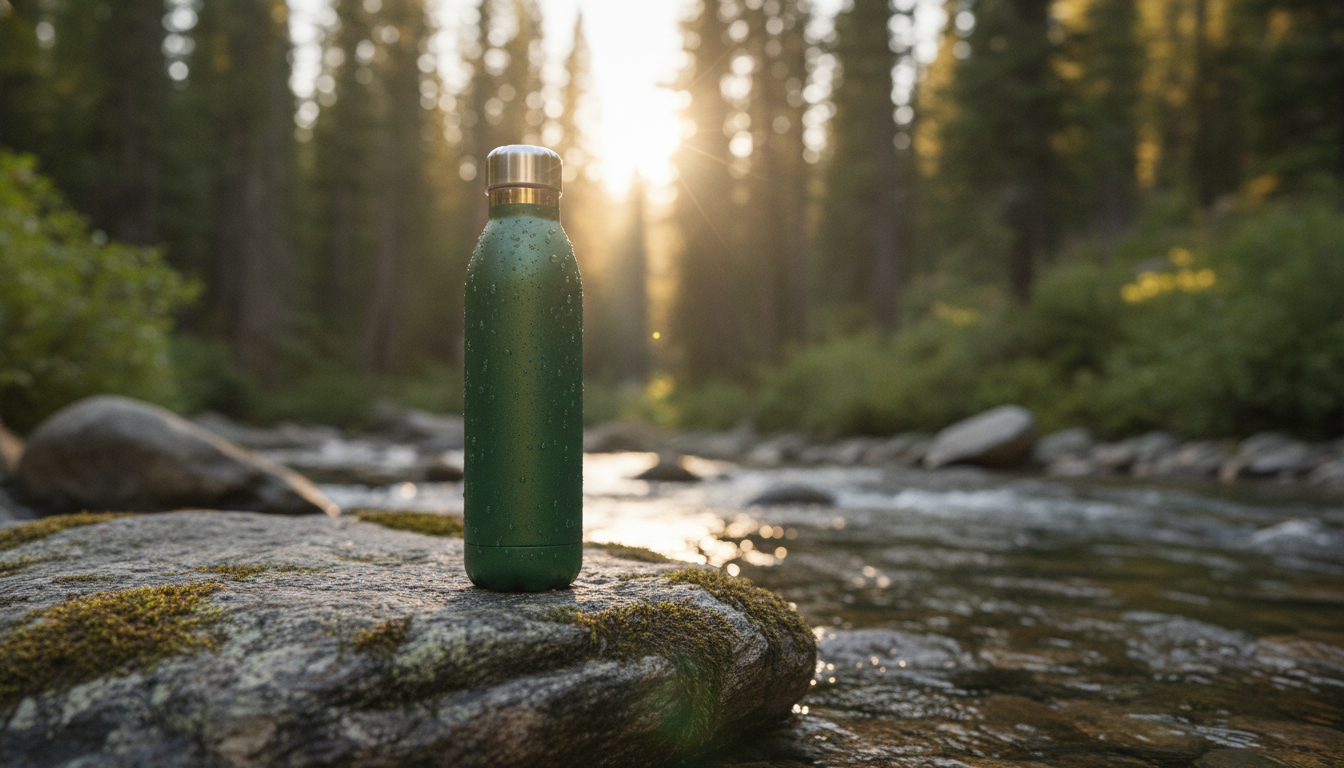
Outdoor product photography of a stainless steel insulated water bottle in forest green, standing on a mossy rock beside a mountain stream, golden hour sunlight backlighting the scene, small water droplets on the bottle surface, lush pine forest blurred in the background, shot on a 50mm lens at f/2, shallow depth of field, adventurous and fresh mood
Why it works:
- Golden hour backlight draws a rim of light around the bottle and separates it from the background.
- Water droplets suggest freshness and add realistic texture to the metal.
- f/2 turns the forest into a soft backdrop that doesn't pull focus.
Variations:
- Snowy mountains: on fresh snow with snowy peaks in the background, crisp blue sky.
- Beach: on warm sand at sunset with gentle waves behind.
How to adapt these prompts to your products
The prompts above are templates. To make them fit your catalog, change the part that describes the product and keep the part that describes the photography.
Describe your product in detail
The more specific you are, the closer the result will look to what you actually sell. Replace the subject with:
- Material: brushed aluminum, recycled cotton, matte ceramic, amber glass.
- Exact color: dusty rose or navy blue beats plain pink or blue.
- Finish: glossy, matte, frosted, textured.
- Shape and details: round bottle with a pump dispenser, sneaker with white laces.
Keep the lighting and lens
The technical part (lighting, angle, focal length and aperture) is what makes the image look professional. Keep it and only swap the product, and you'll get a set of images with a consistent look across your whole store.
Change the scene to match your customer
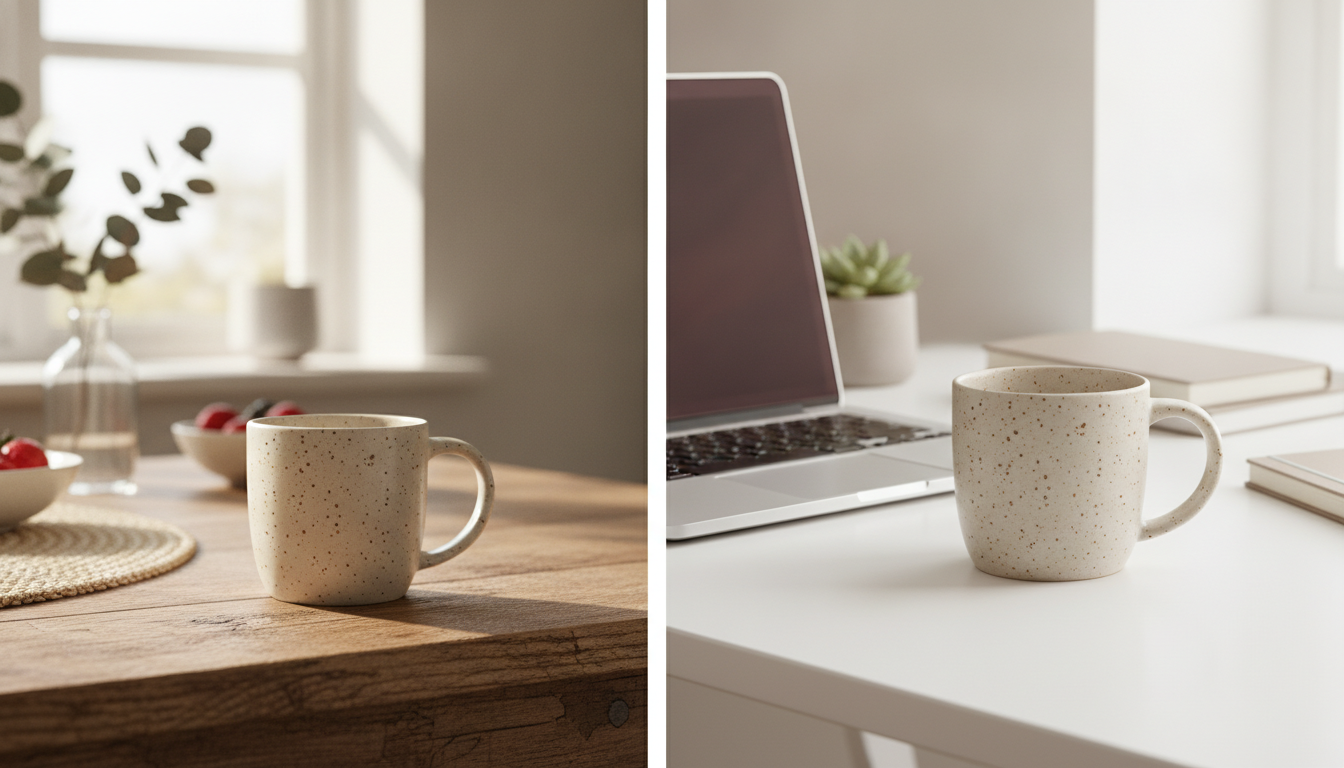
The same mug says different things in a Nordic kitchen, an office or on a patio. Think about where your customers actually use the product and describe that place.
Common mistakes
- Prompts that are too short: a perfume bottle leaves almost everything to chance.
- Conflicting instructions: pure white background plus in a forest confuses the model.
- Too many objects: more than four or five items usually makes the composition messy.
- Asking for text or logos: add them afterwards instead.
- Changing everything at once: tweak one variable per attempt so you know what actually improved the result.
How to try these prompts in Pictulab
- Open Pictulab and go to image generation.
- Paste one of the prompts from this page and swap in your own product.
- Before generating, you'll see exactly how many tokens it will cost.
- Generate, review the result and adjust just one thing: lighting, background or angle.
- Once you've nailed it, save the prompt as a template for the rest of your catalog.
The free plan gives you 100 welcome tokens, one time only, with no card required (100 tokens = €1). If you generate images regularly, there are monthly plans with VAT included: Starter at €12, Pro at €36 and Business at €120. Pay annually and you get two months free.
On top of that, the web tools for removing backgrounds, compressing and converting images are free and run in your browser, so your photos are never uploaded to a server. They're handy for prepping images before you upload them to your store.
Start for free — 100 tokens on us, no card required.
You might also like:
- [ENLACE: how to shoot white-background product photos for your online store]
- [ENLACE: AI prompts for fashion product photos]
FAQ
Do I need to know photography to write good AI prompts?
No, but borrowing a few photography terms helps a lot. Phrases like softbox, flat lay, golden hour or shallow depth of field give the model clear, specific instructions. Using the templates on this page is an easy way to pick them up as you go.
How long should a good product prompt be?
There's no magic number. A solid starting point is one or two sentences covering the product, surface, background, lighting, angle and lens, like the examples above. Longer isn't always better: adding details that contradict each other makes results worse.
Can I ask the AI to put my brand name on the product?
You can try, but models often distort lettering. It's more reliable to generate the image without text and add your logo or label afterwards in an editor.
How much does it cost to try these prompts in Pictulab?
When you sign up, you get 100 welcome tokens with no card required, and every generation shows its cost before you run it. That way you always decide how much you spend.
Can I use these images on marketplaces and in my store?
Check each marketplace's image requirements, since some require a white background for the main photo: that's what prompt 1 is for. And always make sure the image accurately represents the product you sell in color, shape and size, so you don't set false expectations for your customers.