Looking for AI prompts that produce product photos you can actually use in your store? Here are seven, ready to copy and paste. Each one comes with the full prompt, the shot it's designed to get, why it works, and a few easy variations.
These prompts cover the shots most online stores need: white-background catalog images, lifestyle scenes, flat lays, studio shots on a pedestal, jewelry macros, food photos and homepage banners. They work for beauty, fashion, jewelry, home decor and food brands. At the end, you'll see how to adapt them to your own product and try them in Pictulab.
Every prompt follows the same simple structure, so once you see how one works, you can rewrite any of them in a couple of minutes.
1. White-background catalog shot (packshot)
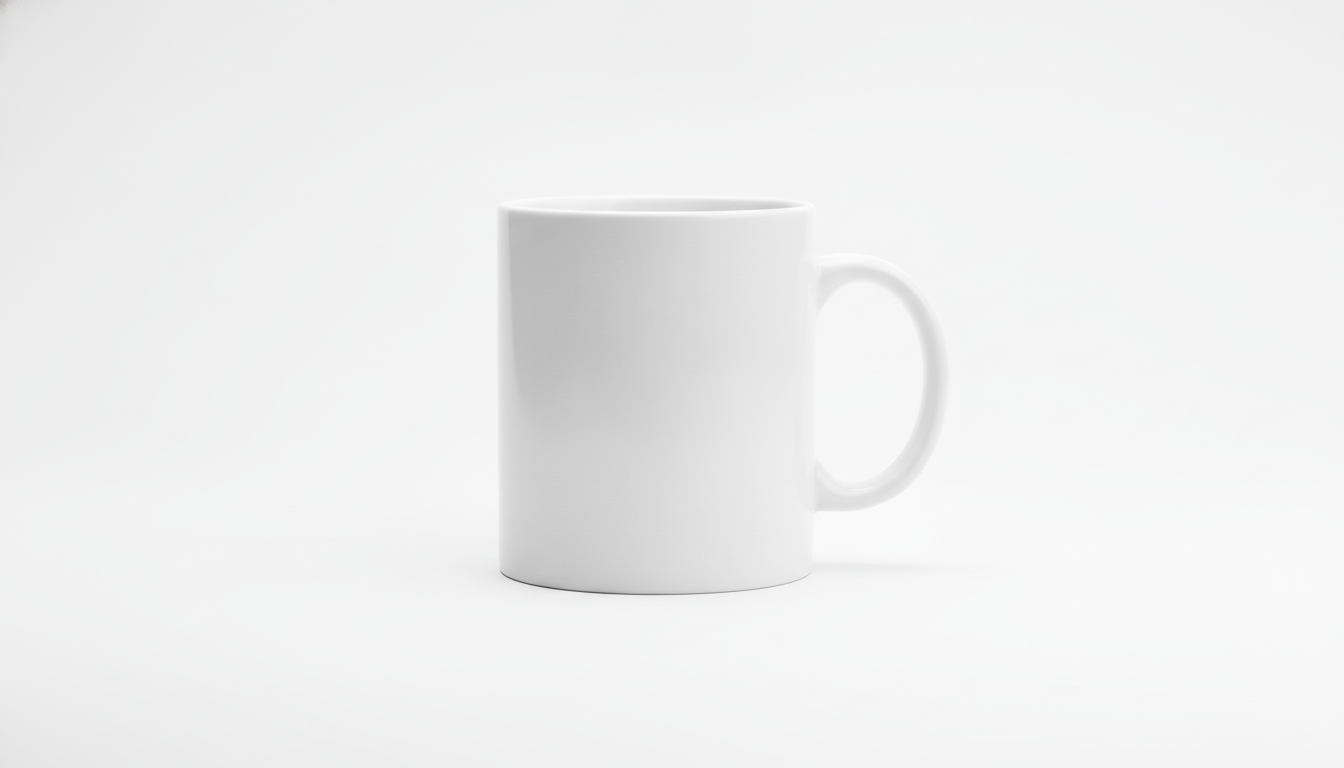
Use it for: your main product image and marketplaces that require a clean white background. This is the photo shoppers see first in search results.
Professional e-commerce packshot of a white ceramic coffee mug on a pure white seamless background, soft diffused studio lighting from both sides, subtle natural shadow under the product, shot with a 100mm macro lens at f/8, eye-level angle, centered composition, sharp focus, high resolution, photorealistic
Why it works:
- Background: “pure white seamless background” asks for a continuous white backdrop with no visible corners or horizon line.
- Lighting: diffused light from both sides gets rid of harsh shadows and distracting reflections.
- Shadow: the “subtle natural shadow” keeps the product from looking cut out and floating.
- Lens: a 100mm at f/8 gives you a distortion-free perspective with the whole product in focus.
Variations:
- Swap “eye-level angle” for “slightly elevated three-quarter view” to show the top of the product (handy for boxes, jars or sneakers).
- Replace the background with “light grey seamless background” if your brand uses a soft grey.
2. Lifestyle shot in a real setting
Use it for: secondary product images, social media and ads. These show the product where it's actually used and help shoppers picture it in their own home.
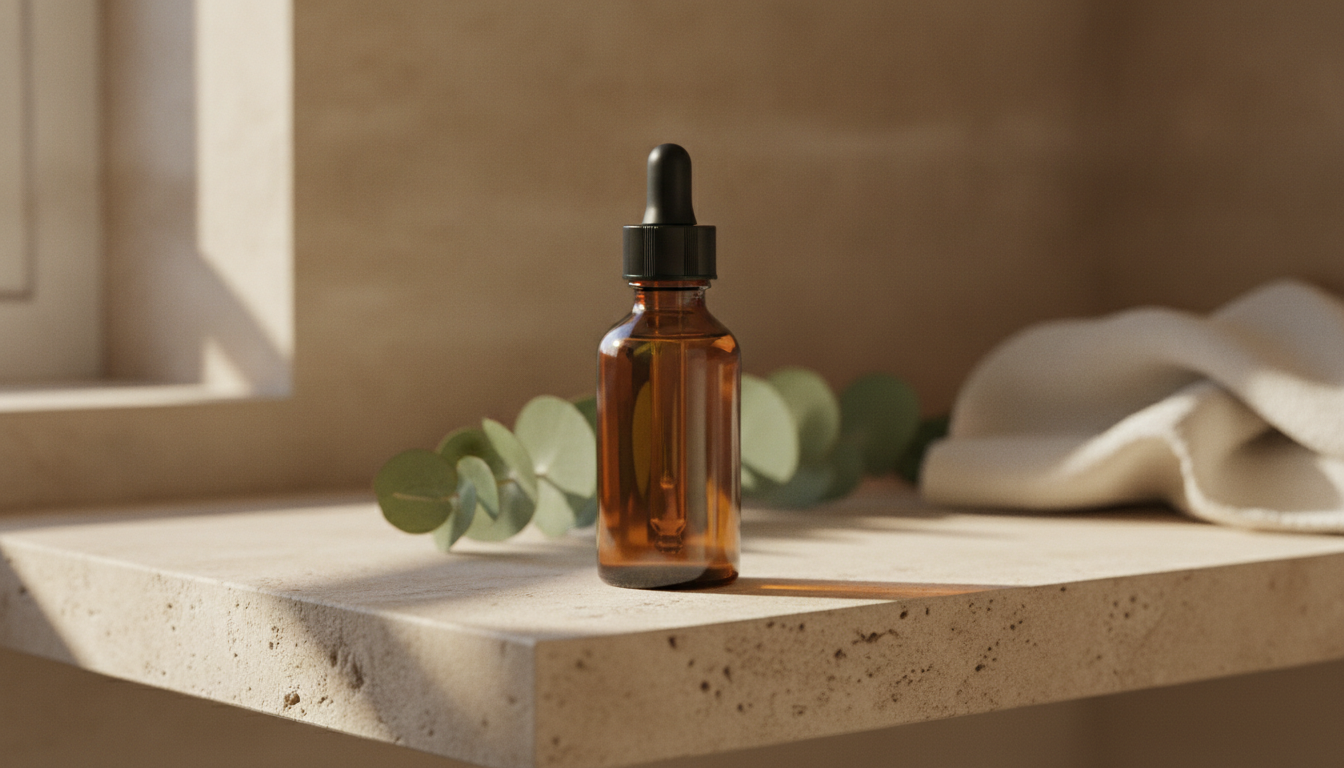
Lifestyle product photo of an amber glass serum bottle with a dropper on a light travertine bathroom shelf, morning sunlight through a window casting soft shadows, eucalyptus sprig and folded linen towel in the background slightly out of focus, 50mm lens at f/2.8, shallow depth of field, warm neutral tones, photorealistic
Why it works:
- Setting: the travertine shelf and linen towel place the product in a well-styled bathroom without stealing the spotlight.
- Lighting: morning light through a window creates soft shadows and a natural feel.
- Lens: a 50mm at f/2.8 blurs the background and keeps the bottle sharp.
- Color: “warm neutral tones” keeps the palette in line with the amber glass.
Variations:
- For a body lotion, swap the bathroom for “a bedside table next to a window with sheer curtains”.
- For a fresher look, replace “warm neutral tones” with “cool white and soft green tones”.
3. Overhead flat lay for fashion and accessories
Use it for: showing several products together, bundles, outfits or collections. It works especially well on Instagram and on category pages.
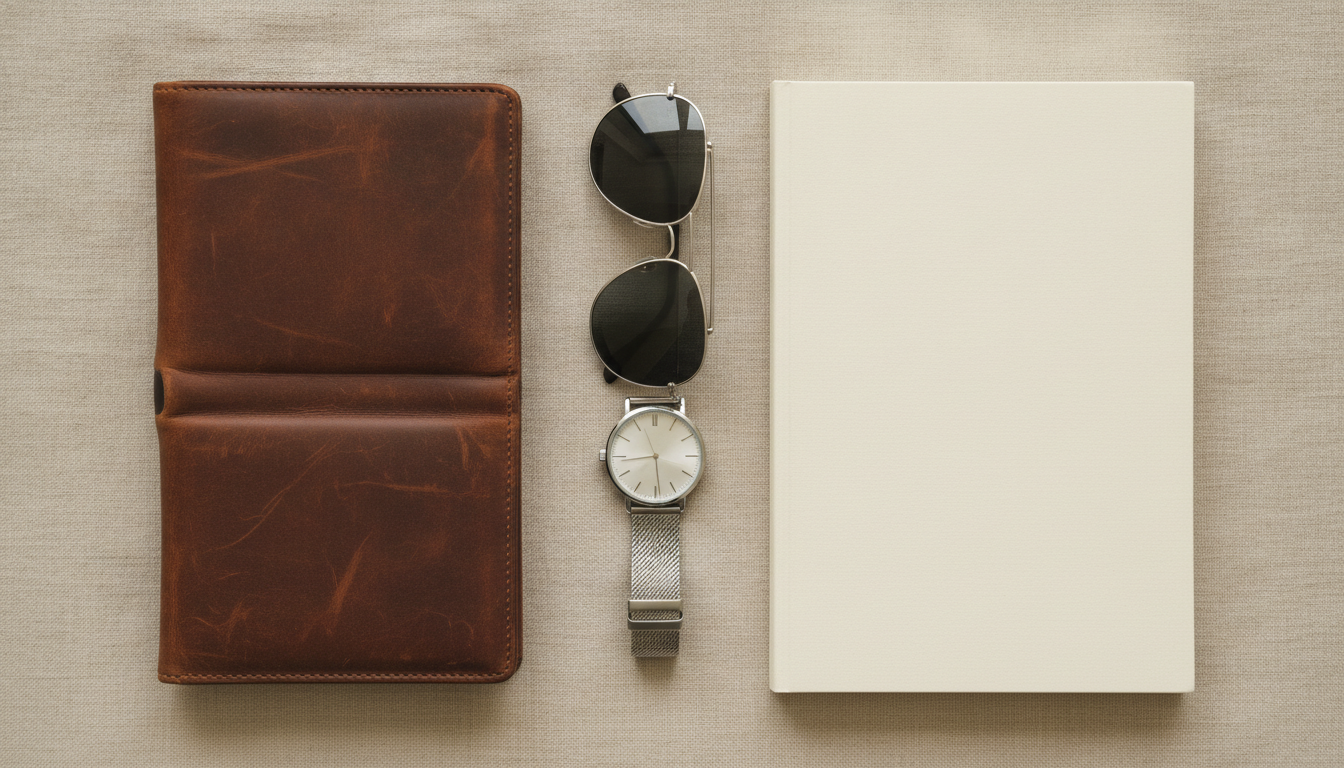
Top-down flat lay of a brown leather wallet, sunglasses, a silver watch and a notebook arranged on a beige linen fabric, even soft daylight, no harsh shadows, clean minimal composition with negative space, shot from directly above with a 35mm lens, natural colors, photorealistic
Why it works:
- Framing: “top-down” and “shot from directly above” lock in the classic overhead flat lay view.
- Background: beige linen adds texture without competing with the items.
- Lighting: even daylight stops some objects from looking darker than others.
- Composition: “negative space” leaves breathing room between products and space to crop or add text.
Variations:
- For apparel, try “a folded white t-shirt, denim jeans and white sneakers arranged on a light oak wooden floor”.
- For a more editorial look, add “hard sunlight with long defined shadows”.
4. Product on a pedestal with a colored background
Use it for: product launches, new-arrival banners and social ads. It gives you a modern studio look that stops the scroll.
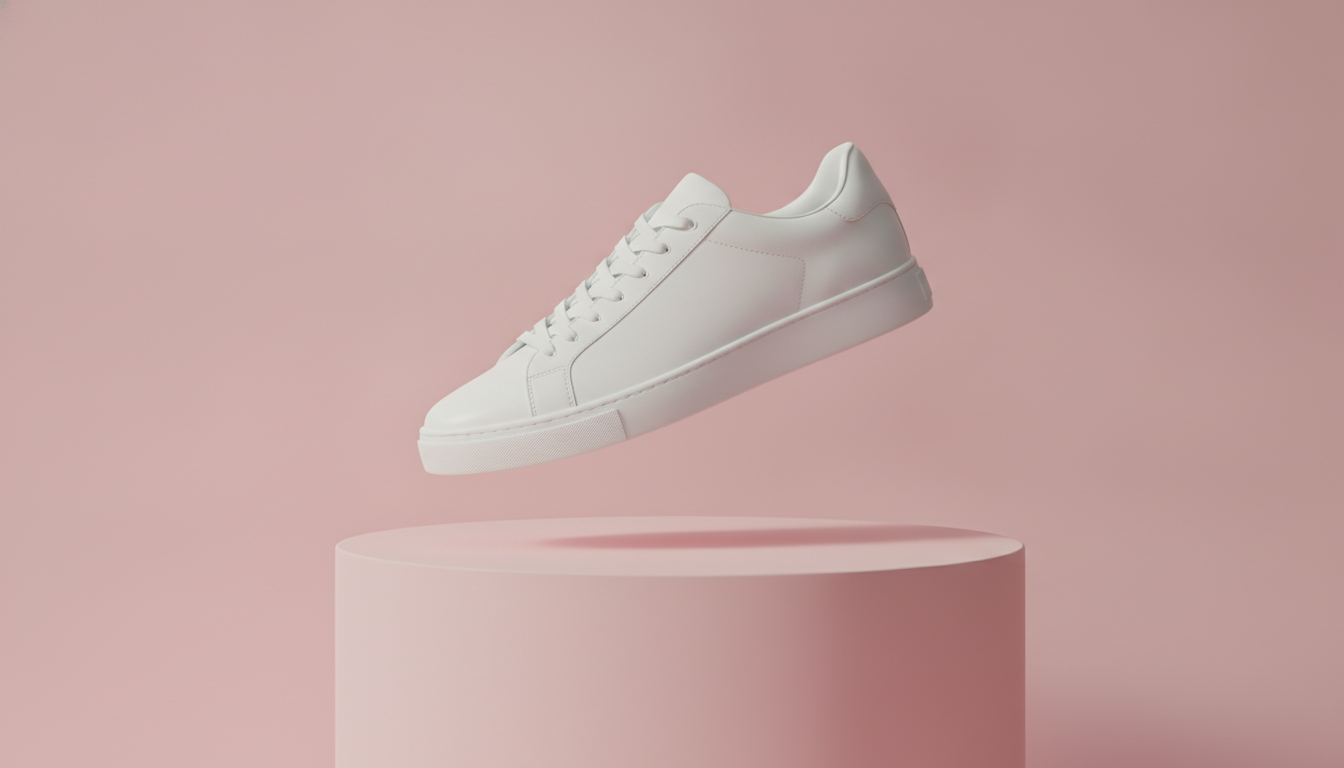
Minimalist studio photo of a white sneaker floating above a pastel pink cylindrical pedestal, solid pastel pink background, soft key light from the upper left, gentle rim light outlining the shoe, slight shadow on the pedestal, 85mm lens, three-quarter view, clean modern aesthetic, photorealistic
Why it works:
- Background: a single solid color that matches the pedestal creates a clean, monochrome image.
- Lighting: the key light from the upper left shapes the product; the rim light traces its outline and separates it from the background.
- Framing: a three-quarter view shows the side and the toe at the same time.
- Lens: an 85mm compresses perspective so the sneaker doesn't look distorted.
Variations:
- Swap in your brand color: “solid sage green background” or “solid terracotta background”.
- Replace “floating above” with “standing on” for a more understated look.
5. Jewelry detail macro
Use it for: showing finishes, textures and stones. With jewelry and watches, shoppers want to see the details before they buy.
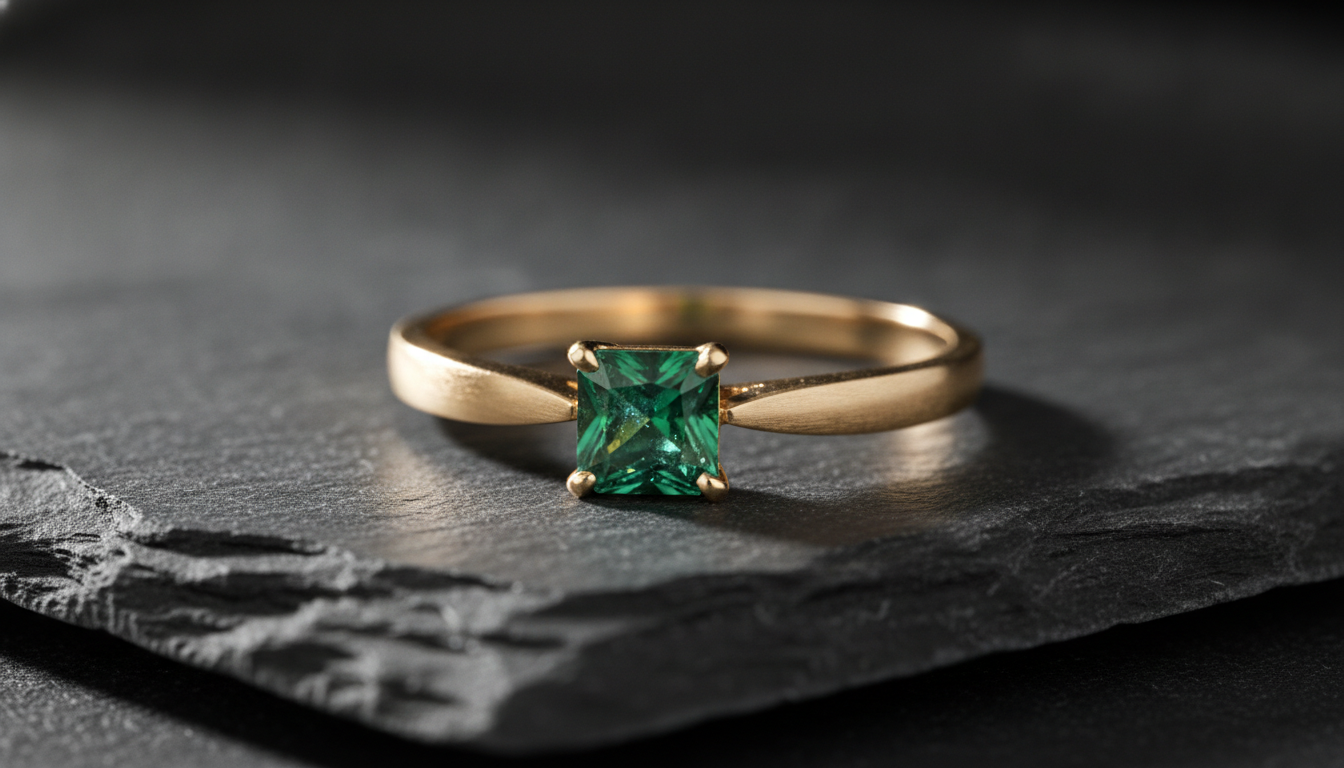
Macro close-up of a gold ring with a small emerald stone resting on dark grey slate, single soft light from the side to reveal metal texture and stone facets, delicate reflections, black background falling off into shadow, 100mm macro lens at f/5.6, extremely sharp detail, luxury product photography
Why it works:
- Lighting: a single side light brings out the texture of the metal and the facets of the stone.
- Background: dark slate fading into black makes the gold and green pop.
- Lens: a 100mm macro gets you really close; f/5.6 keeps the whole ring in focus.
- Style: “luxury product photography” steers the result toward a high-end jewelry look.
Variations:
- For silver, swap the slate for “white marble with soft grey veins” and the light for “cool white light”.
- For a necklace, use “a thin gold necklace draped over a smooth beige stone”.
6. Food product with a homemade feel
Use it for: gourmet stores, jams, olive oils, coffee or sweets. The scene conveys flavor and a handcrafted origin.
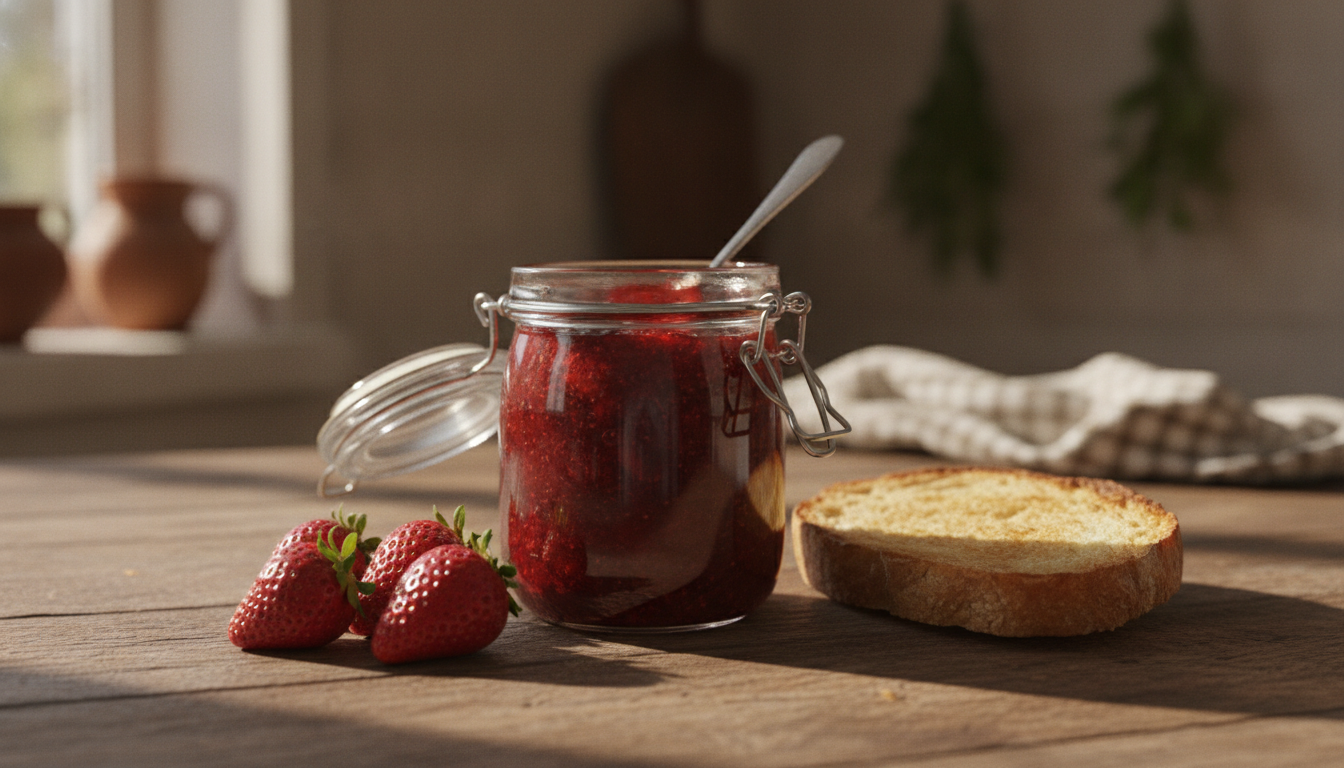
Rustic food product photo of a glass jar of homemade strawberry jam with an open lid on a wooden table, fresh strawberries and a slice of toasted bread beside it, warm side light from a window, 45-degree camera angle, 50mm lens at f/4, background softly blurred, cozy kitchen atmosphere, photorealistic
Why it works:
- Props: the strawberries and toast show how the product is enjoyed, no copy needed.
- Lighting: warm window light from the side is a food photography classic: it makes the glass shine and gives the fruit depth.
- Angle: 45 degrees shows both the jar and what's inside.
- Lens: a 50mm at f/4 blurs the background just enough that you can still tell it's a kitchen.
Variations:
- For olive oil: “a glass bottle of extra virgin olive oil, a small bowl of olives and a sprig of rosemary”.
- For a brighter, more modern look, swap “rustic” and “wooden table” for “bright” and “white marble countertop”.
7. Wide banner with room for text
Use it for: your homepage hero, campaign banners or email headers. The empty space lets you add a headline and a button without covering the product.
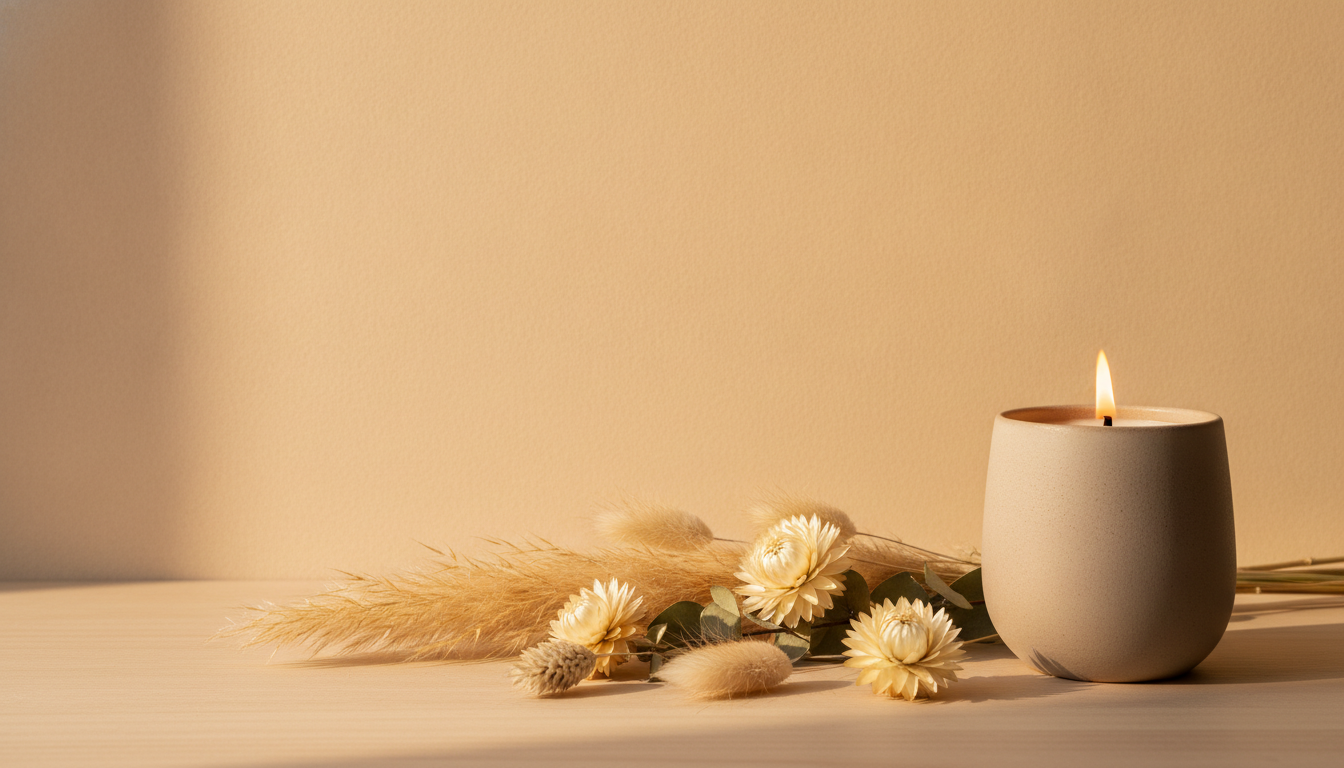
Wide 16:9 hero banner photo of a scented soy candle in a matte ceramic jar placed on the right third of the frame, lit candle with a small soft flame, dried flowers beside it, warm beige wall background, large empty negative space on the left side, soft golden hour light, 35mm lens, calm cozy mood, photorealistic
Why it works:
- Format: “16:9” and “wide” push the composition toward a horizontal frame.
- Composition: putting the product on the right third and asking for empty space on the left leaves room for your copy.
- Lighting: golden hour light reinforces the warm mood people associate with candles.
- Background: a plain beige wall won't fight with the headline you put on top.
Variations:
- If your site puts text on the right, flip it: “placed on the left third” and “negative space on the right side”.
- For holiday campaigns, add “a few out-of-focus warm fairy lights in the background”.
How to adapt these prompts to your product
Every example follows the same structure. Once you get it, you can swap out any piece without breaking the result:
- Shot type: packshot, lifestyle, flat lay, macro, banner.
- Product: what it is, what it's made of, what color it is.
- Surface and background: what it's sitting on and what's behind it.
- Props: supporting objects that add context.
- Lighting: where it comes from, soft or hard, warm or cool.
- Camera: angle, lens and aperture.
- Style: “photorealistic”, “minimalist”, “luxury”, and so on.
Change the material and color
Be specific. “A bag” leaves too much to chance; “a tan full-grain leather tote bag with gold metal hardware” describes your product. Name the material (“brushed aluminum”, “matte ceramic”, “recycled kraft paper”) and the exact color (“navy blue”, “off-white”, “olive green”). The closer the description is to your real product, the more useful the image will be.
Change the setting
Swap the surface, background and props, but keep the lighting and lens if you liked the result. For example, the serum lifestyle prompt works for headphones if you replace the bathroom with “a wooden desk next to a laptop and a cup of coffee”.
Keep your catalog consistent
If you're generating lots of photos, save a “template” with the same lighting, background and lens, and only change the product. That way every product page has the same look and feel.
One important warning
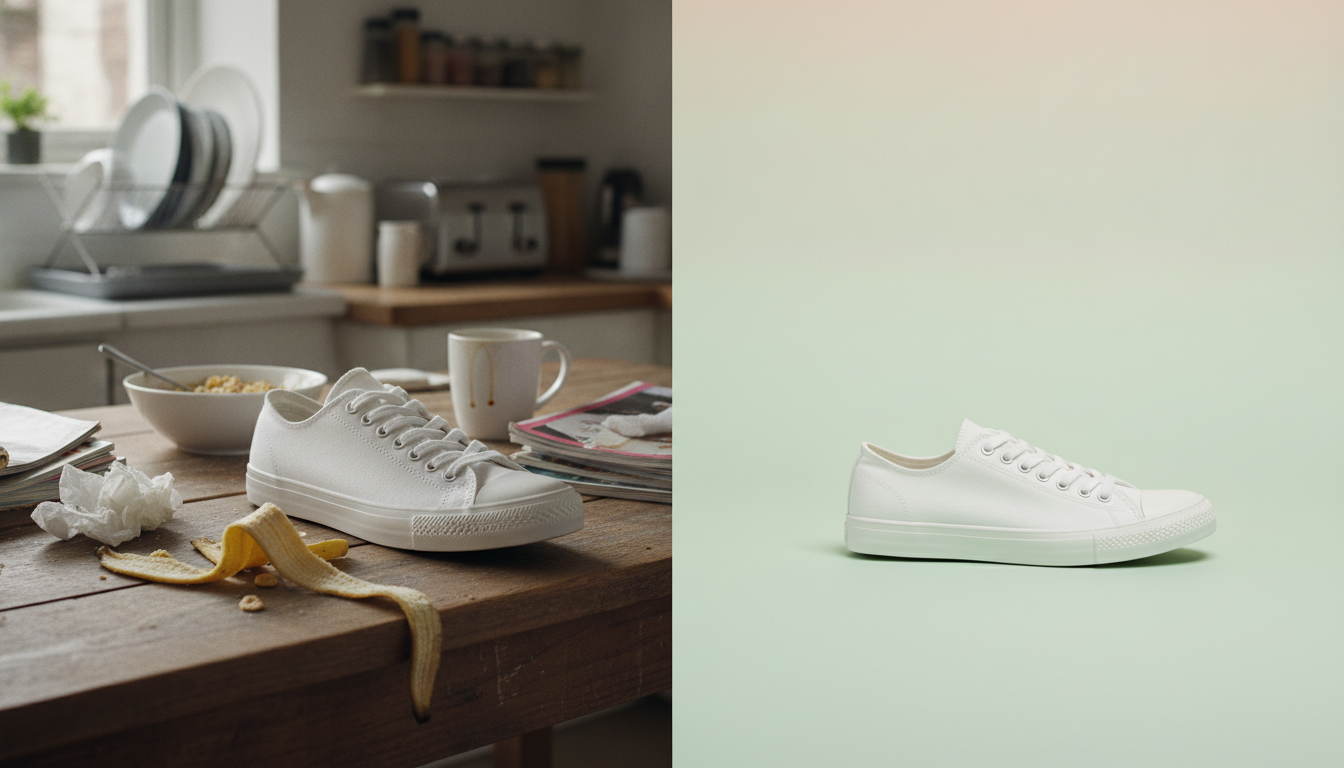
A generated image can change product details: stitching, logos, proportions or the number of pieces. Always check that what's in the image matches what the customer will receive before you put it on a product page. Lifestyle and campaign images give you more leeway; for your main product photo, accuracy comes first.
How to try these prompts in Pictulab
- Go to Pictulab and create your account.
- Copy one of the prompts above and swap in your product.
- Before you generate, you'll see the token cost of that image, so you always know what you're spending.
- Generate, review the result and tweak one thing at a time (lighting, background or angle) to see what changes.
If you already have photos of your product and just need a clean background, try the background remover first. It's free and runs in your browser: your images are never uploaded to a server.
The free plan includes 100 welcome tokens, one time only, no card required, which is enough for your first tests. If you need more later, there are monthly plans: Starter at €12, Pro at €36 and Business at €120 per month, VAT included, with two months free when you pay yearly.
Start free — 100 tokens on us, no card needed.
You might also like:
- [ENLACE: how to shoot white-background product photos for your online store]
- [ENLACE: AI prompts for lifestyle product photos]
FAQ
What makes a good AI prompt for product photos?
A good prompt describes the product, its material and color, the surface and background, the lighting and the camera setup. Image models tend to respond well to photography terms like “rim light”, “flat lay” or “shallow depth of field”, so using them gives you more control over the result.
How long should a prompt be?
There's no magic number. What matters is that it covers product, material, background, lighting and framing. The examples in this article are one or two long sentences; shorter prompts tend to leave too many decisions to the AI, and much longer ones can end up with instructions that contradict each other.
Can I use these prompts for any product?
Yes. The structure is the same whether you're selling a handbag, a moisturizer or a jar of honey. Change the product, material, color and props, and keep the lighting and camera details if they match the style you're after.
What do “85mm” or “f/2.8” mean if I'm not a photographer?
They're camera settings the AI reads as style cues. The millimeters refer to the lens: 35mm takes in more of the scene, while 85mm or 100mm focus on the product with less distortion. The “f” number controls background blur: f/2 or f/2.8 blur the background a lot, while f/8 keeps almost everything sharp.
How much does it cost to try these prompts in Pictulab?
When you sign up, you get 100 welcome tokens with no card required, and every generation shows its cost before you run it. 100 tokens equal €1, so you can work out exactly what each test costs you.