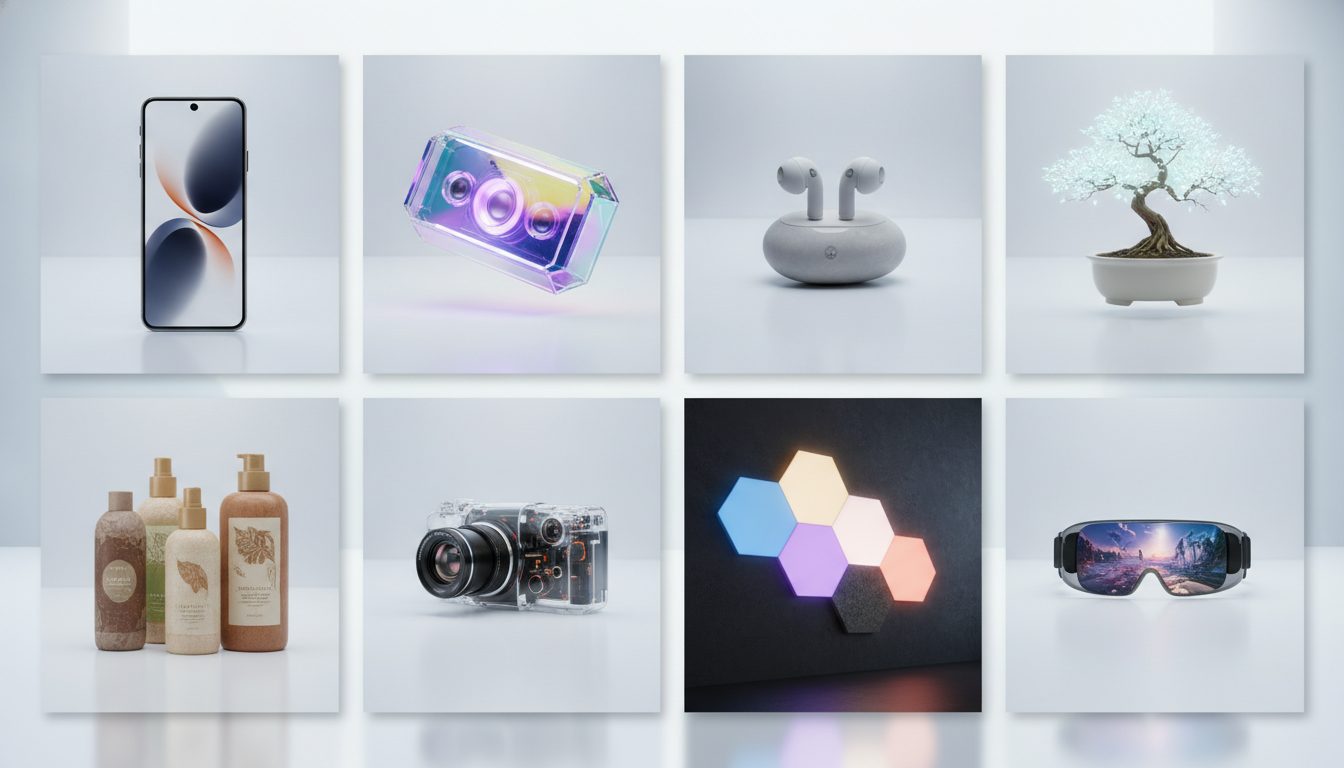
Here are 8 AI prompts for product photos, ready to copy and paste into any image generator. Each one explains what it's for, why it works and how to tweak it for your own products.
They cover white-background packshots, lifestyle scenes, flat lays, jewellery close-ups and colour backdrops for banners and social posts. They work for fashion, beauty, homeware, jewellery, food, sportswear and tech shops.
Every prompt follows the same structure: product + surface + scene + lighting + framing + lens + style. Once you understand that formula, you can write your own.
1. White-background packshot for your product page
What it's for: the main image on your product page, the one shoppers see in category listings and on marketplaces. Just the product, clean and distraction-free.
Professional e-commerce packshot of a white ceramic coffee mug, centered on a pure white seamless background, soft even studio lighting from a large softbox, subtle natural shadow beneath the product, shot with a 100mm lens at f/8, sharp focus across the whole product, high detail, photorealistic
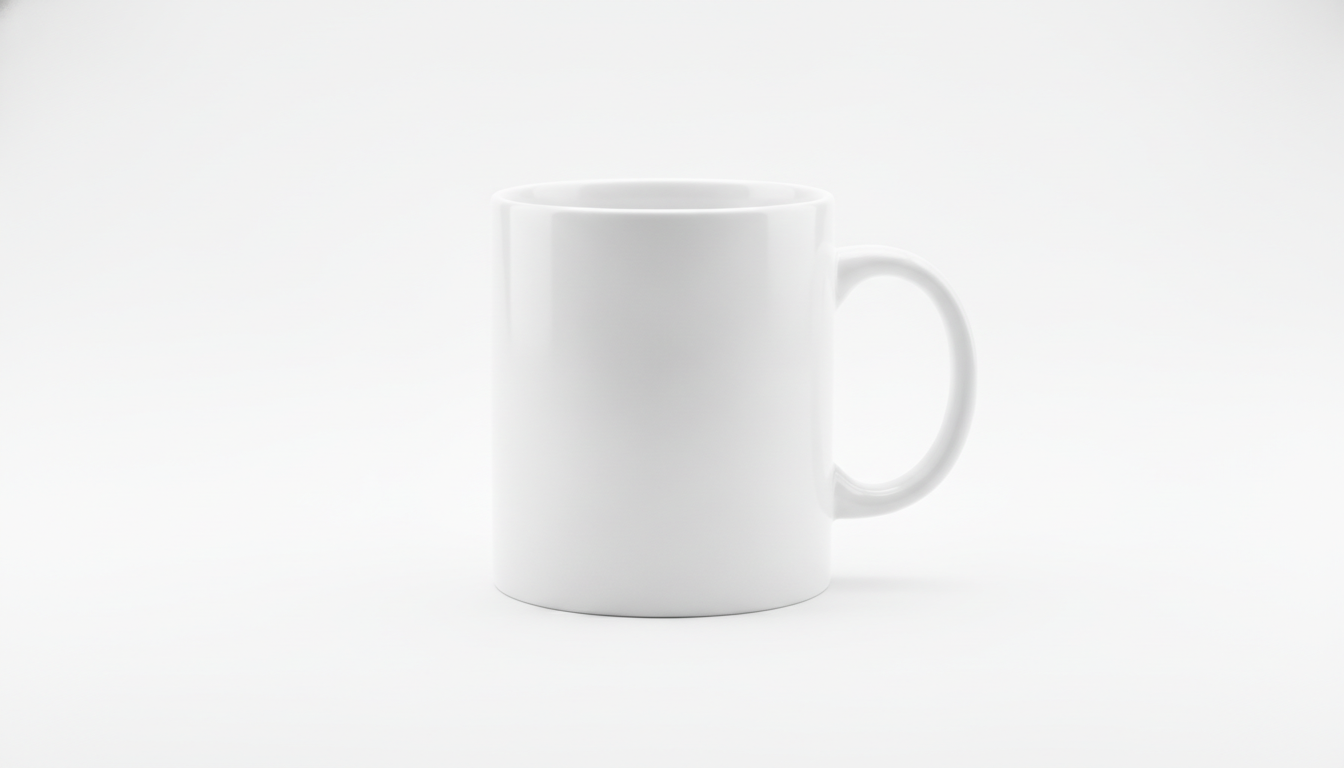
Why it works:
- Background: pure white seamless background stops the model drawing a visible line where the floor meets the wall.
- Lighting: a large softbox gives wraparound light with no harsh highlights.
- Shadow: subtle natural shadow grounds the product so it doesn't look like it's floating.
- Lens: a 100mm lens at f/8 keeps distortion low and the whole product in focus.
Variations:
- Swap centered for three-quarter view, slightly elevated angle to show more depth.
- For shiny products such as bottles or metal, add controlled reflections, gradient highlight on the edges.
2. Skincare in a bathroom with morning light
What it's for: lifestyle shots for skincare, beauty or fragrance. They place the product in a real moment of use.
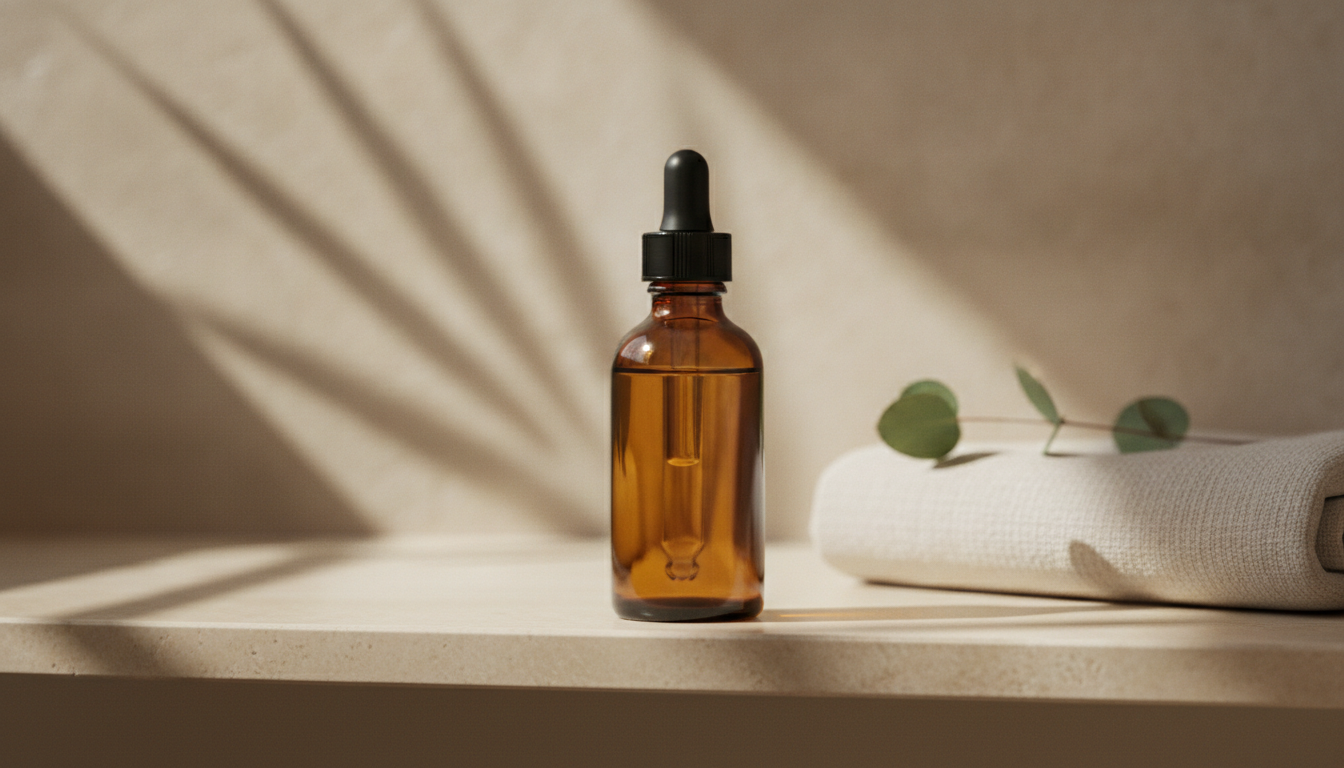
Amber glass dropper bottle of facial serum standing on a light travertine bathroom shelf, morning sunlight coming through a window from the left, soft shadows of leaves on the wall, a folded linen towel and a small eucalyptus sprig in the background out of focus, shot with a 50mm lens at f/2.8, warm natural tones, photorealistic lifestyle product photography
Why it works:
- Side light from a window: shapes the bottle and suggests a time of day.
- Leaf shadows: add texture to the wall without extra objects competing with the product.
- Out-of-focus props: the towel and eucalyptus tell the story, but at f/2.8 they stay in the background.
Variations:
- For a more clinical brand, swap travertine for white marble and warm light for cool neutral daylight.
- For creams in a jar, add open jar with a swatch of cream texture next to it.
3. Fashion and accessories flat lay
What it's for: overhead shots of folded clothing, complete outfits or product bundles. They work well on social media and category pages.
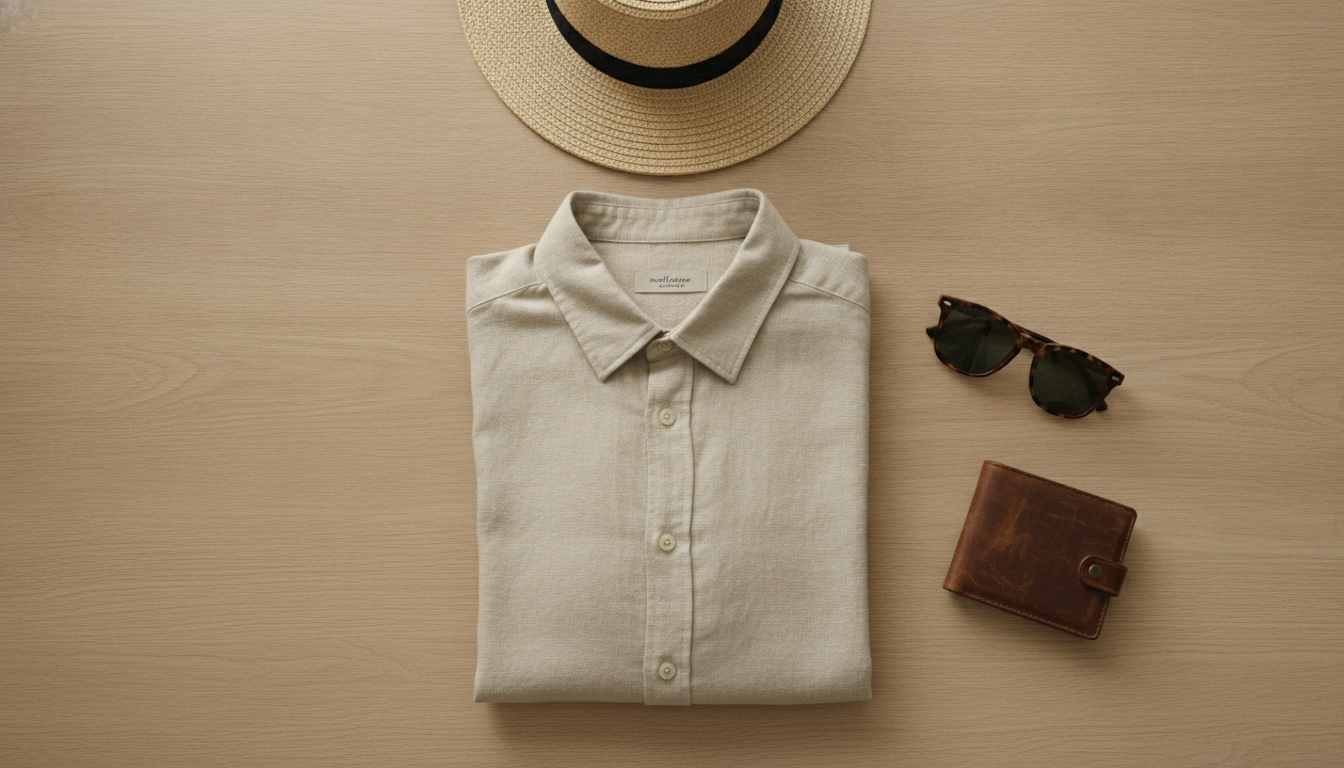
Top-down flat lay of a folded beige linen shirt on a light oak wooden surface, styled with sunglasses, a leather wallet and a straw hat, soft diffused daylight, even exposure with no harsh shadows, generous negative space around the items, shot from directly above with a 35mm lens, clean minimalist composition, photorealistic
Why it works:
- Overhead framing: top-down and directly above stop the model adding perspective.
- Diffused light: with no harsh shadows, fabrics read clearly and colours stay accurate.
- Negative space: leaves room to crop the image or add text later.
Variations:
- Change the surface to white bed sheets with soft wrinkles for lingerie or loungewear.
- For a gift bundle, add kraft paper gift box and dried flowers.
4. Macro jewellery shot on black velvet
What it's for: close-ups of rings, earrings or pendants, where sparkle and detail matter most.
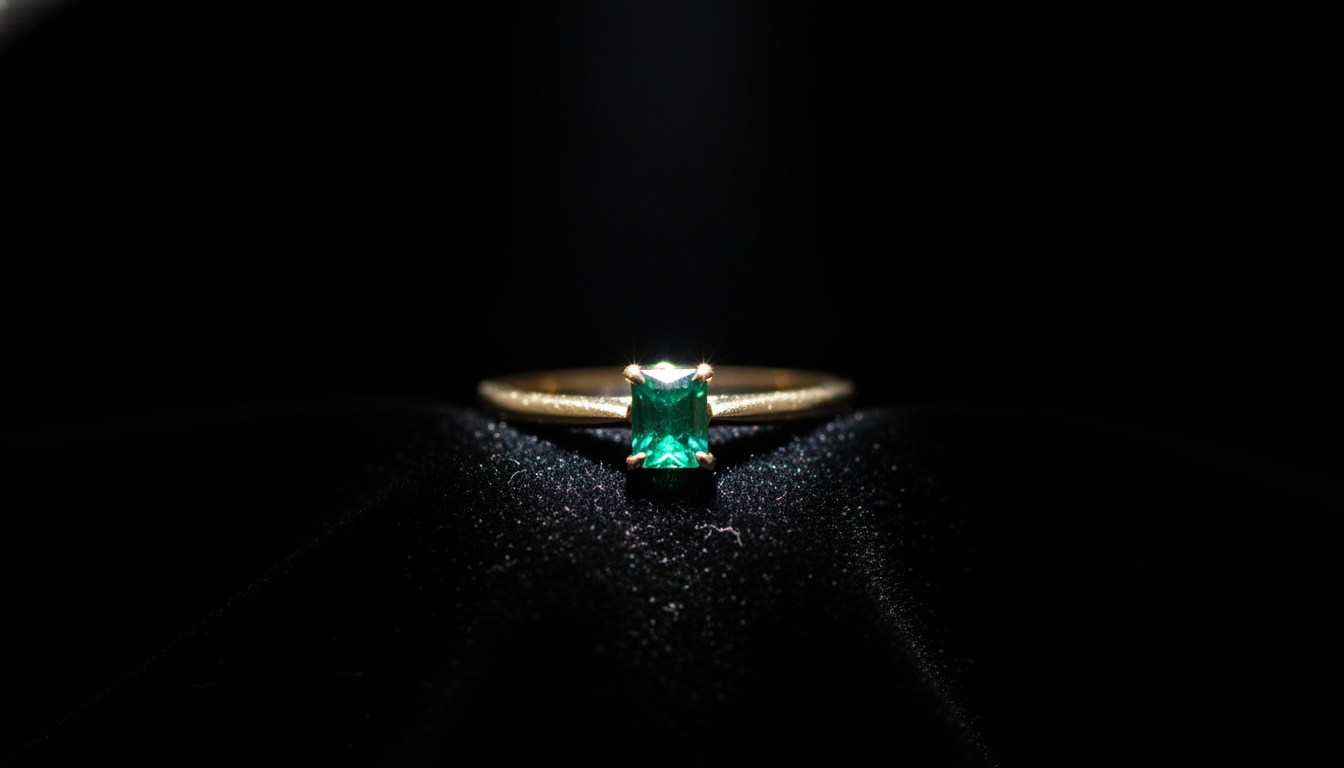
Macro photograph of a gold ring with a small emerald stone resting on a black velvet surface, single narrow spotlight from above creating sparkling highlights on the metal and gem, deep black background, shallow depth of field, shot with a 100mm macro lens at f/4, luxurious and elegant mood, photorealistic
Why it works:
- A single narrow spotlight: focuses the light on the piece and creates sparkle on the metal and stone.
- Black velvet: absorbs light, so the gold stands out by contrast.
- Macro lens: tells the model you want close-up detail, not a wide shot.
Variations:
- For silver, swap black for dark navy velvet and add cool white light.
- For a fresher look, try on a smooth river stone with soft daylight.
5. Summer product with hard light and bold shadows
What it's for: seasonal campaigns, banners and ads with a sunny, holiday feel.
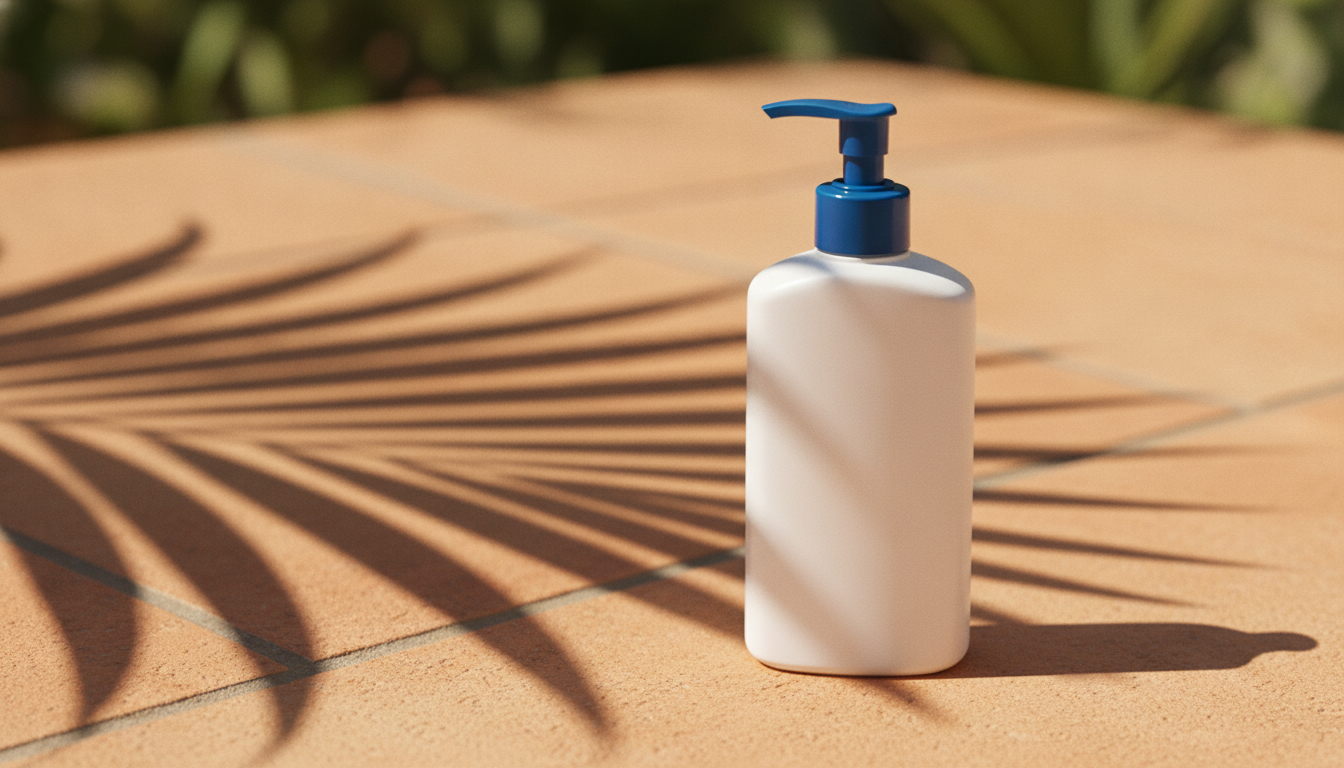
Bottle of sunscreen lotion on a pale terracotta surface, bright direct midday sunlight casting hard sharp shadows, palm leaf shadow pattern across the scene, saturated warm colors, slightly low camera angle, shot with an 85mm lens at f/5.6, summer advertising style, photorealistic
Why it works:
- Hard light: direct midday sunlight and hard sharp shadows create contrast and a sense of heat.
- Low angle: gives the product presence and makes it look larger.
- Saturated colours: match the advertising look that summer advertising style asks for.
Variations:
- Add water droplets on the bottle for drinks or cooling products.
- Swap terracotta for sand with a few seashells for a beach scene.
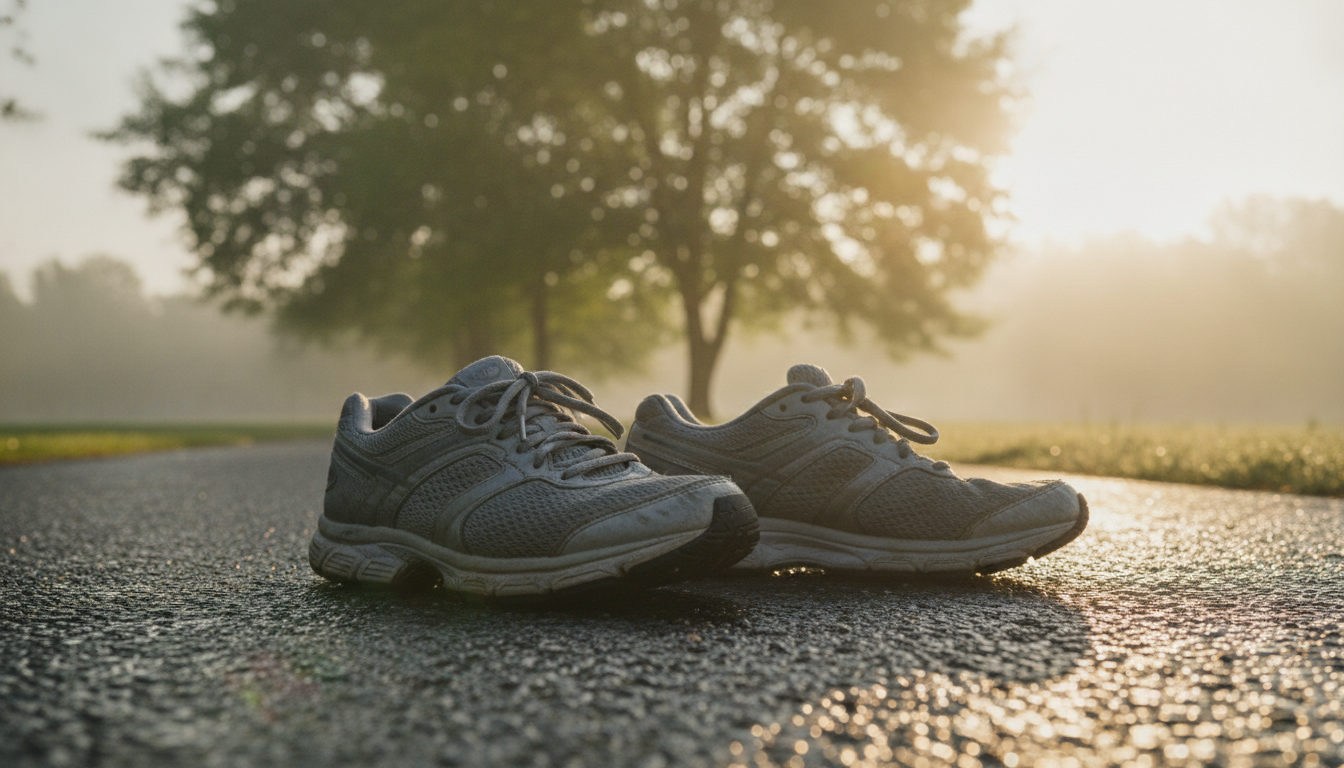
6. Running shoes outdoors at sunrise
What it's for: action shots for trainers, performance wear or sports accessories, with more energy than a studio backdrop.
Pair of grey running shoes on a wet asphalt path in a park at sunrise, golden backlight with soft lens flare, light mist and blurred green trees in the background, camera at ground level close to the shoes, shot with a 35mm lens at f/2, dynamic sporty atmosphere, photorealistic
Why it works:
- Golden backlight: outlines the shoes and sets an early-morning training mood.
- Wet tarmac: reflections add texture and depth.
- Ground-level camera: a 35mm lens up close slightly exaggerates perspective and suggests movement.
Variations:
- For trail running, swap the tarmac for muddy forest trail with fallen leaves.
- For clothing, replace the shoes with a runner's legs mid-stride wearing black leggings.
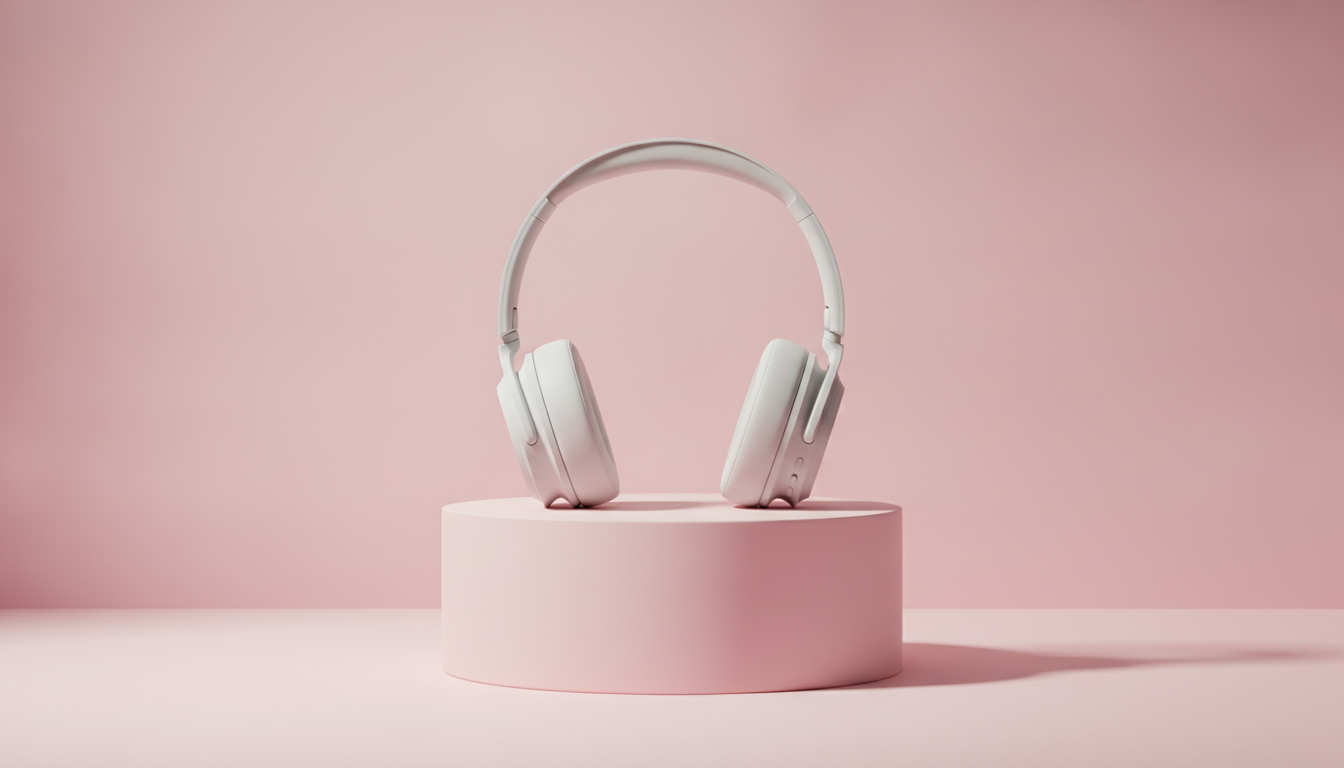
7. Colour backdrop with a plinth for banners and social
What it's for: hero images, ads and posts where you want a modern look that matches your brand colours.
Wireless headphones in matte white placed on a cylindrical pastel pink pedestal, solid pastel pink background, soft studio lighting with a gentle gradient, smooth shadow on the pedestal, front view at eye level, shot with a 70mm lens at f/8, modern minimalist product advertising, photorealistic
Why it works:
- Monochrome: plinth and background in the same colour make the product the only thing that contrasts.
- Soft gradient: keeps the background from looking flat and adds depth.
- Front view at eye level: a clean composition that's easy to crop for different formats.
Variations:
- Swap pink for your brand colour: sage green, sky blue, mustard yellow.
- Try floating product with soft shadow below for a more eye-catching effect.
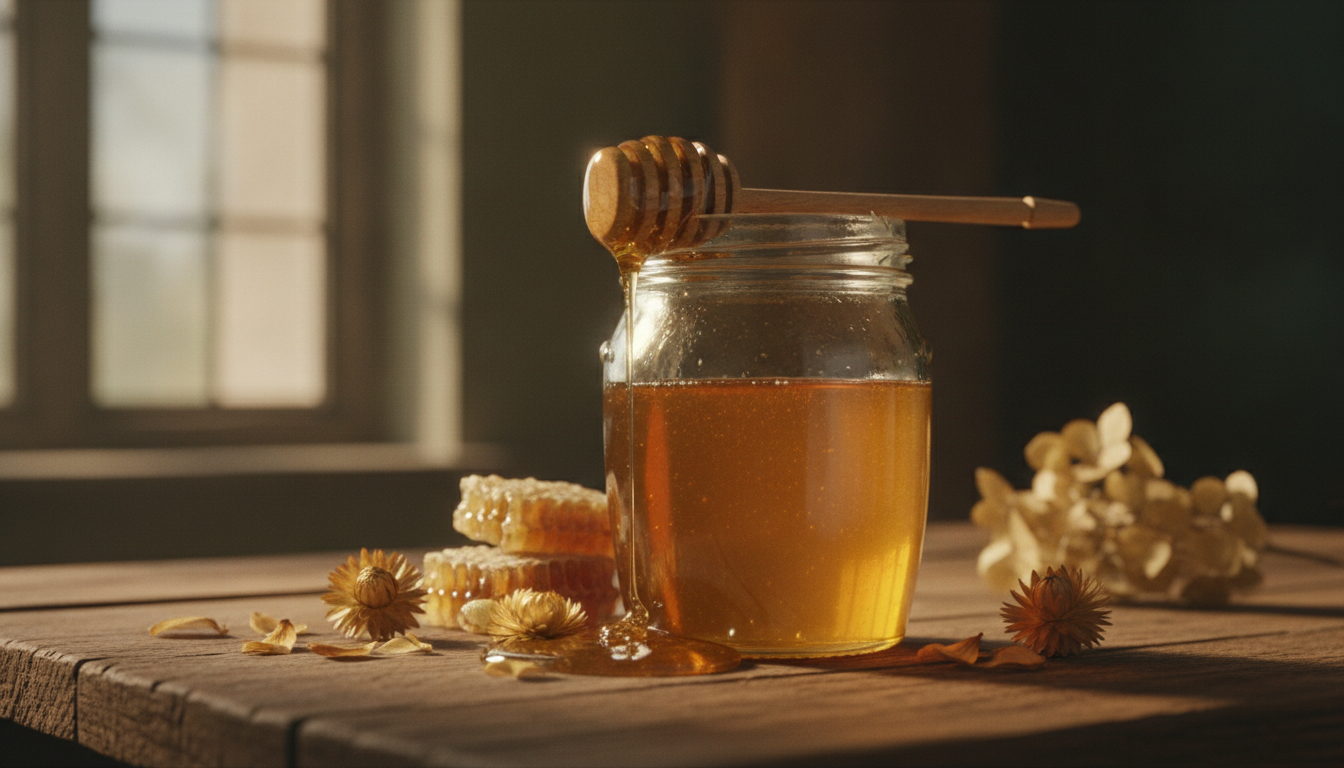
8. Artisan food with a dark, moody feel
What it's for: shots for deli and speciality food shops selling honey, olive oil, preserves or coffee, with a warm, handmade feel.
Glass jar of golden honey with a wooden honey dipper on a rustic wooden table, warm side light from a window, a few honeycomb pieces and dried flowers around it, dark moody background, honey dripping from the dipper, shot with a 90mm lens at f/4, artisanal food photography, photorealistic
Why it works:
- Warm side light on a dark background: the moody style makes the honey glow by contrast.
- Dripping honey: brings movement and appetite to a still scene.
- Related props: honeycomb and flowers reinforce where the product comes from without stealing the spotlight.
Variations:
- For olive oil, swap the jar for glass bottle of extra virgin olive oil and add olive branches and a small bowl of oil.
- For a brighter version, replace dark moody background with bright white kitchen, airy natural light.
How to adapt these prompts to your product
You don't need to rewrite them from scratch. Change one part at a time and compare the results.
Change the product and material
The more specific you are about the material, the better the texture comes out:
- brushed stainless steel instead of metal
- frosted glass or clear glass instead of glass
- chunky knit wool, washed denim, full-grain leather for textiles and leather goods
- matte or glossy to describe the finish
Change the colour
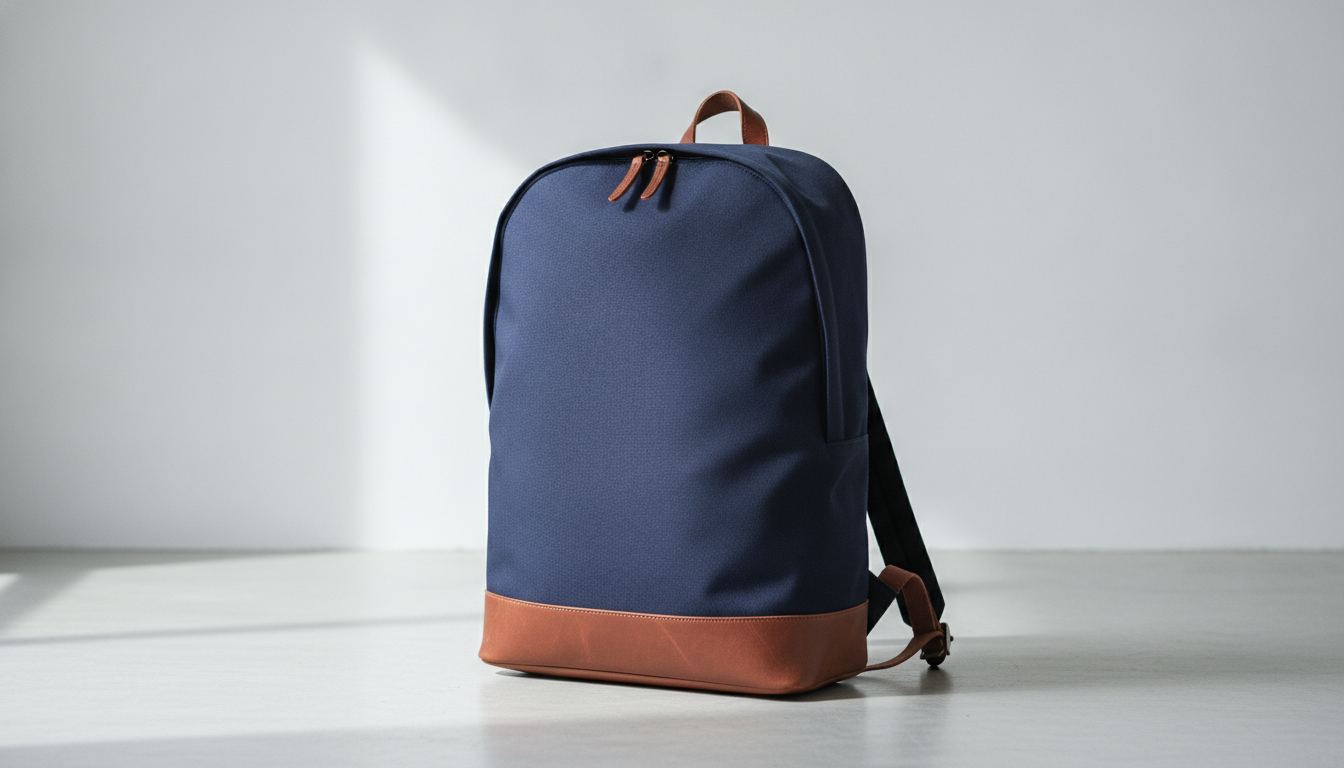
Name the product colour and the scene colour separately: navy blue backpack on a light grey concrete floor. If you need an exact brand shade, describe it in words, such as deep forest green or warm off-white, rather than using a hex code.
Change the scene
Keep the lighting and lens, and change only the surface and props. The skincare prompt, for example, works just as well in a kitchen, on a bedside table or on a dressing table. That way you get a series of photos with a consistent look.
Know what the AI doesn't know
A model generating from scratch doesn't know your product: it creates something similar to what you describe. Logos and small text often come out distorted. That's why these prompts are most useful for:
- testing styles before a photo shoot,
- creating backgrounds and scenes for campaigns,
- making product mock-ups and social content.
For your final product page images, the most reliable option is to start from a real photo of your product. If you have one with a background you don't like, you can remove it for free with our background remover. It runs in your browser and your image is never uploaded to a server.
Tips that usually help
- Put the important bits first. Product and framing come before style.
- Don't mix conflicting lighting. Soft diffused light and hard sharp shadows in the same prompt confuse the model.
- Generate several times. The same prompt gives different results each time: pick the best one and refine from there.
- Say what you don't want. Phrases like no text, no logos, no people help clean up the scene.
How to try these prompts in Pictulab
- Go to Pictulab and open the image generator.
- Copy one of the prompts above and paste it in as it is.
- Before you generate, you'll see how many tokens that image costs. No surprises.
- Generate, check the result and change just one part of the prompt (material, colour or scene) for the next version.
The free plan gives you 100 welcome tokens, once and with no card required, so you can try several prompts. If you need more later, there are monthly plans: Starter at €12, Pro at €36 and Business at €120 a month, VAT included. Pay annually and you get two months free.
Start free — 100 tokens on us, no card needed.
You might also like:
- [ENLACE: how to take white-background product photos for your online shop]
- [ENLACE: AI prompts for beauty and skincare product photos]
FAQs
Do I need to know photography terms to use these prompts?
No, but they help. Image models tend to respond well to terms like softbox, flat lay or shallow depth of field because they describe a specific look. You can copy the prompts as they are and only change the product, colour or scene.
Will the AI produce exactly my product if I describe it well?
No. The AI generates a product similar to what you describe, not an exact copy of yours. Logos and text labels often come out altered. For product page images that need to match what the customer receives, use a real photo of your product as the starting point.
Which parts of the prompt change the result the most?
Lighting and framing. Switching from soft diffused light to hard direct sunlight, or from a front view to an overhead shot, changes the image far more than swapping a prop.
How much does it cost to try these prompts in Pictulab?
You can start with the 100 welcome tokens on the free plan, no card needed. Each generation shows its token cost before you run it, so you decide whether to go ahead. For reference, 100 tokens equal €1.
Why does the same prompt give me different images?
Image models introduce variation with every generation. That's normal and useful: create a few versions, pick the one closest to what you want and refine the prompt from there.