Good AI prompts for product photos spell out five things: what the product is, the background or scene, the lighting, the camera angle, and the lens it's "shot" with. Below are 7 ready-to-copy prompts, with a breakdown of why each one works and a few variations so you can adapt them to your own products.
They cover white-background catalog shots, lifestyle scenes, flat lays, texture close-ups and moody low-key shots for premium products. They work for beauty, fashion, accessories, footwear, jewelry, homeware or food stores: swap the product and keep the rest of the prompt.
1. White-background catalog shot
Use it for: the main image on your product page. Marketplaces like Amazon require a pure white background for the main image, and on your own store it keeps the catalog clean and consistent.
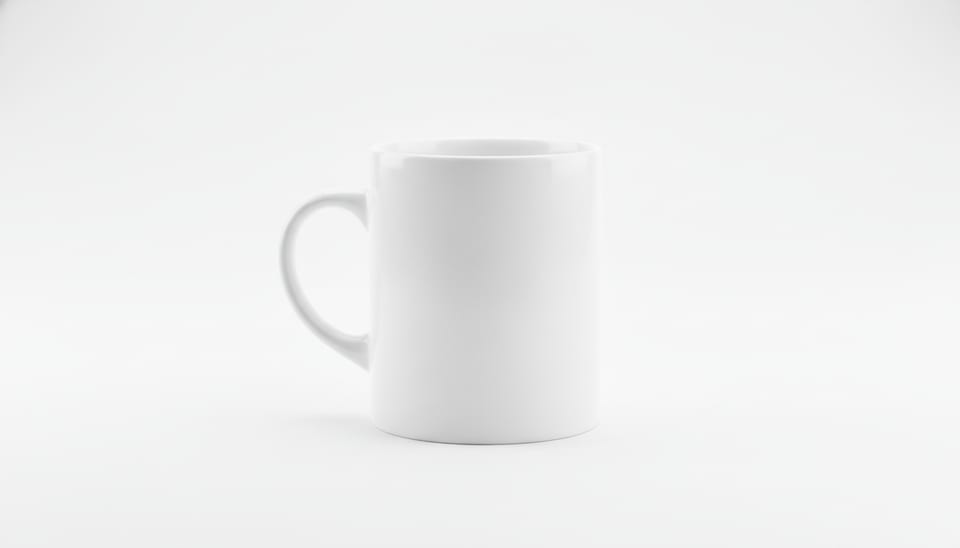
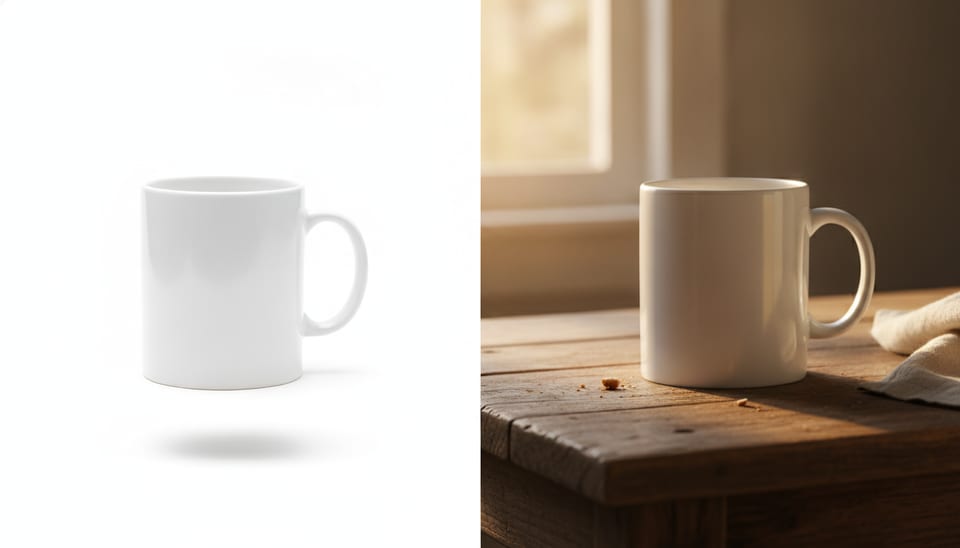
Professional e-commerce product photo of a white ceramic coffee mug on a seamless pure white background, soft even studio lighting from two softboxes, subtle natural shadow under the product, centered composition, shot with a 100mm macro lens at f/8, sharp focus, high detail, no text, no logo
Why it works:
- Lighting: two softboxes give even light with no harsh glare or blown-out areas.
- Background: "seamless pure white" avoids a visible horizon line and muddy grays.
- Shadow: asking for a subtle shadow under the product stops it from looking cut out and floating.
- Lens: a 100mm at f/8 keeps the whole object in focus without distortion.
- "No text, no logo": makes it less likely the model invents lettering or brand marks.
Variations:
- Switch to "three-quarter view, slightly elevated angle" to show the product's shape instead of a flat front view.
- Replace "subtle natural shadow" with "soft reflection on a glossy white surface" for a sleeker, tech-style finish.
2. Lifestyle shot for skincare and beauty
Use it for: in-context photos for your product gallery, homepage banners or social media. They show the product where it's actually used.
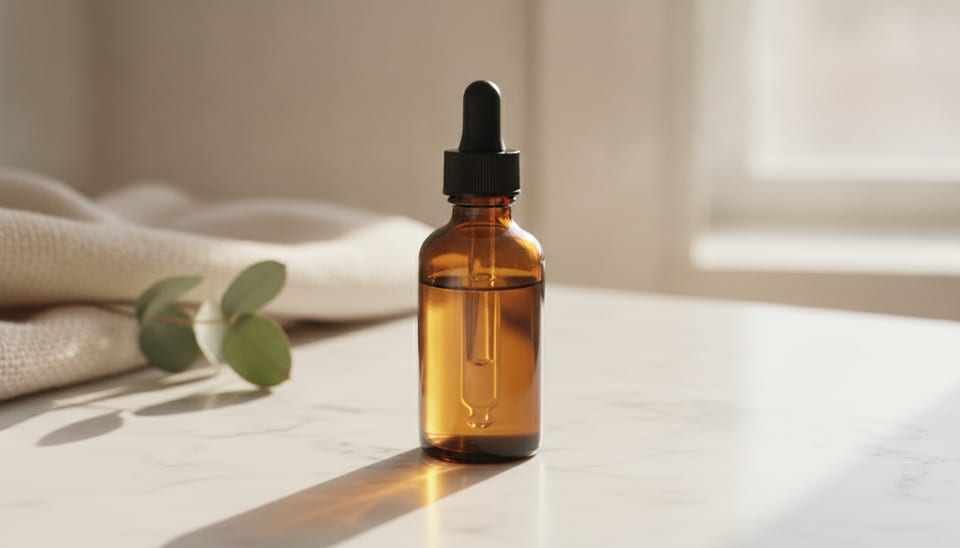
Lifestyle product photo of an amber glass serum bottle with a dropper on a marble bathroom counter, morning sunlight through a window, soft shadows, eucalyptus leaves and a folded linen towel in the background, shallow depth of field, 85mm lens at f/2.8, warm natural tones, photorealistic
Why it works:
- Lighting: morning window light comes in from the side, warm, and makes the amber glass glow.
- Scene: marble, eucalyptus and a linen towel set the product in a well-styled bathroom without stealing focus.
- Lens and focus: an 85mm at f/2.8 blurs the background and keeps the bottle crisp.
- "Photorealistic": pushes the output toward a real photo and away from illustration.
Variations:
- For a fresher brand: "white tiles, cool daylight, green plant, clean minimal style".
- For creams in jars: change the subject to "a frosted glass cream jar with the lid open" and add "visible cream texture".
3. Flat lay for fashion and accessories
Use it for: overhead compositions with several products together. Great for bundles, collections, gift guides and Instagram posts.
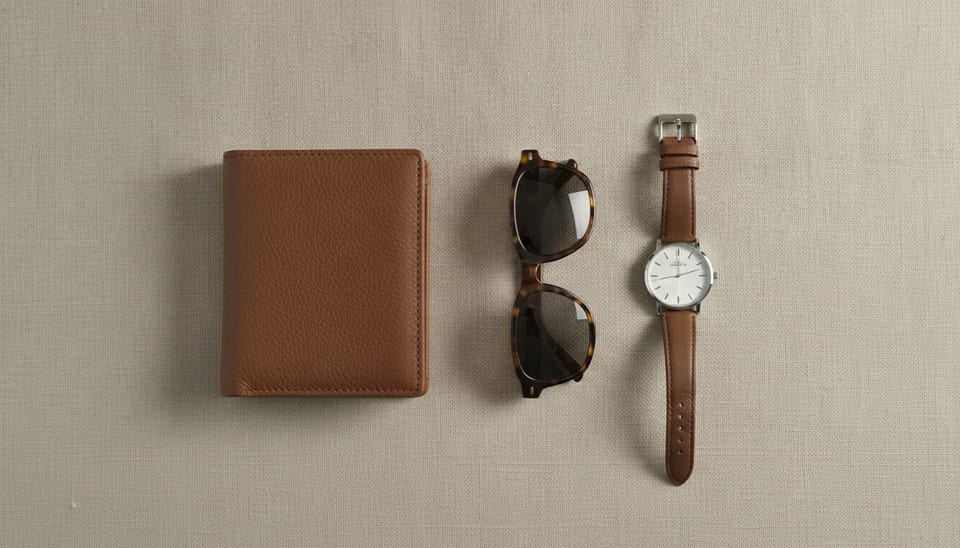
Top-down flat lay product photo of a brown leather wallet, sunglasses and a wristwatch arranged on a beige linen fabric, soft diffused daylight, even shadows, minimalist composition with negative space, shot from directly above with a 50mm lens, photorealistic, high detail
Why it works:
- Framing: "top-down" and "directly above" lock in an overhead camera; without them the model tends to tilt the angle.
- Lighting: diffused light avoids long shadows that clutter the layout.
- Negative space: leaves breathing room around the items, handy if you plan to add text in your design later.
- Background: beige linen adds texture without competing with the products.
Variations:
- For clothing: "a folded white cotton t-shirt, a denim jacket and white sneakers on a light wooden floor".
- For stationery: "notebook, pen and coffee cup on a white desk, Scandinavian style".
4. Color backdrop for sneakers and bold products
Use it for: eye-catching images for campaigns, product launches or category headers. The backdrop can match your brand color.
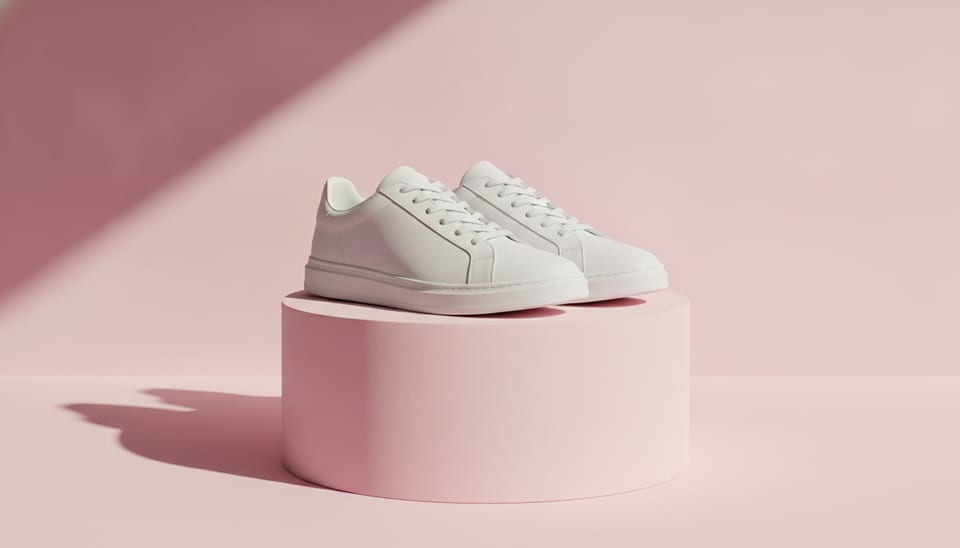
Product photo of a pair of white sneakers on a pastel pink pedestal against a solid pastel pink background, hard directional light creating crisp shadows, slight low angle, clean modern aesthetic, 70mm lens, vibrant but soft colors, photorealistic
Why it works:
- Matching backdrop and pedestal: creates the monochrome look that's common in fashion campaigns.
- Hard directional light: produces crisp shadows that add volume and a graphic feel.
- Low angle: makes the product look bolder and more commanding.
- 70mm lens: avoids the distortion wide-angle lenses cause on close objects.
Variations:
- Change the color: "mint green", "butter yellow" or "cobalt blue", keeping backdrop and pedestal the same.
- For a softer look: replace "hard directional light" with "soft diffused light, gentle shadows".
5. Texture and finish close-up
Use it for: showing material quality: stitching, leather grain, fabric weave, wood grain. It's the shot that answers "what does it look like up close?"
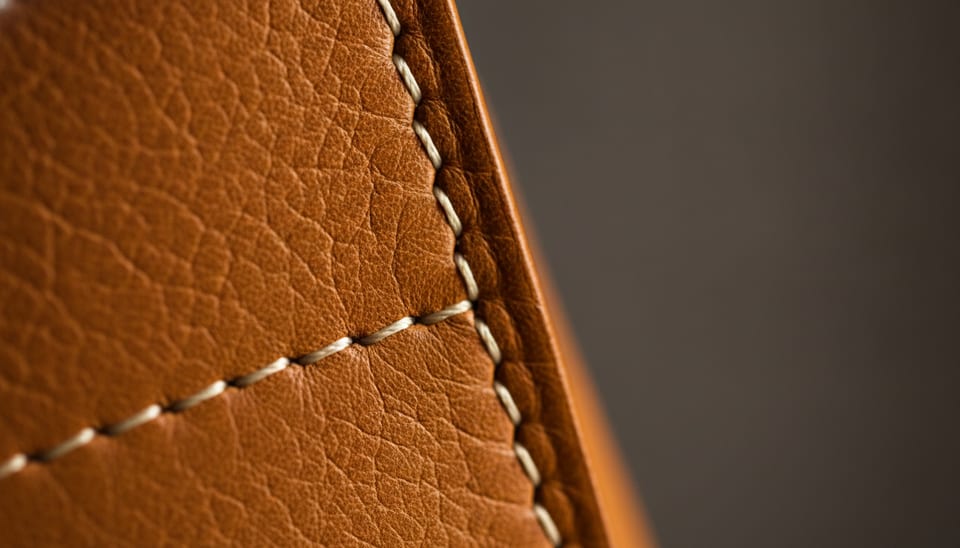
Extreme close-up macro photo of the stitching and grain of a cognac leather handbag, raking side light revealing texture, very shallow depth of field, 100mm macro lens at f/4, rich warm tones, dark neutral background, photorealistic
Why it works:
- Raking light: "raking side light" skims almost parallel to the surface and picks out every ridge.
- Macro with shallow depth of field: only a thin strip stays sharp, drawing the eye to the detail.
- Dark neutral background: doesn't distract and brings out the leather's warm tones.
Variations:
- Knitwear: "close-up of the knit pattern of a chunky wool sweater, soft side light".
- Wood: "macro photo of the wood grain and edge finish of an oak cutting board".
6. Product in use outdoors
Use it for: showing the product in action for sports, outdoor or travel stores. Hands give a sense of scale and make the image feel more relatable.
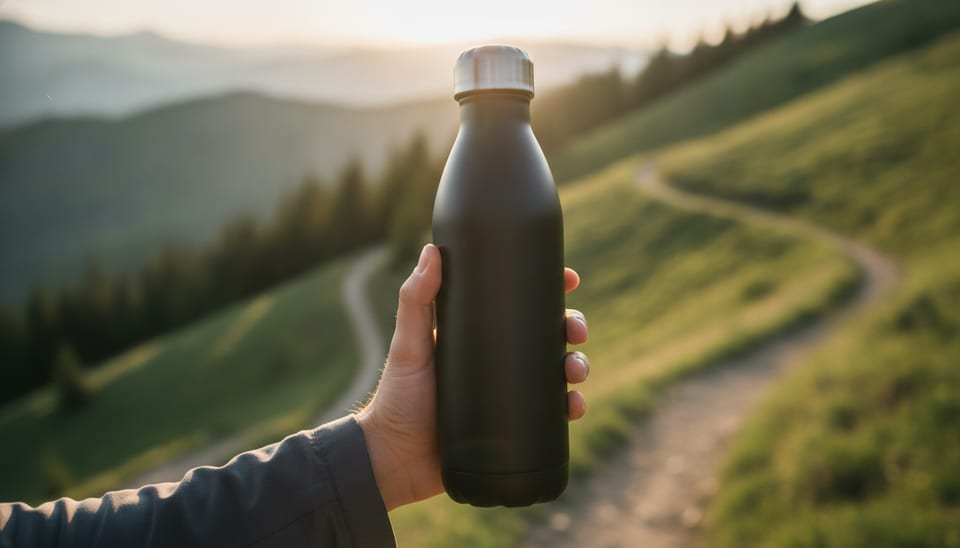
Product photo of hands holding a matte black stainless steel water bottle outdoors on a mountain trail, golden hour backlight, soft rim light on the bottle, blurred green landscape background, 50mm lens at f/2, natural candid feel, photorealistic
Why it works:
- Golden hour backlight: outlines the product with a rim of light that separates it from the background.
- Hands instead of a face: the product stays the hero and you avoid generated faces.
- f/2: the landscape becomes a soft green blur that adds context without pulling focus.
- "Natural candid feel": steers away from stiff, staged poses.
Variations:
- Beach: "on a sandy beach, bright midday sun, turquoise sea in the background".
- City: "on a city street, overcast soft light, blurred pedestrians in the background".
7. Low-key mood for jewelry and premium products
Use it for: jewelry, watches, fragrance or any product that needs to feel luxurious. Works well for banners and collection cover images.
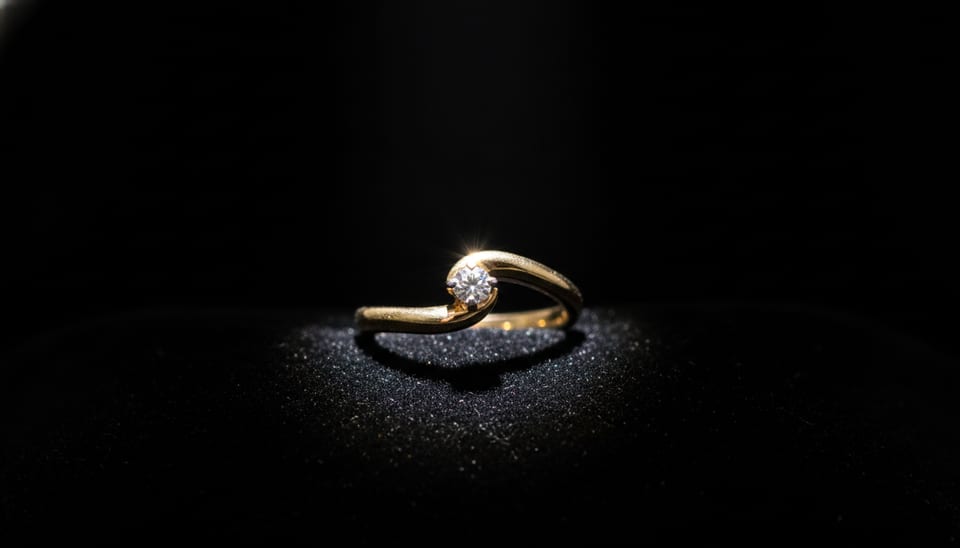
Luxury product photo of a gold ring with a small diamond on a black velvet surface, dramatic low-key lighting with a single spotlight, sparkling highlights on the metal and stone, deep black background, 100mm macro lens, high contrast, photorealistic
Why it works:
- Low-key lighting: almost everything falls into shadow and only the product catches the light.
- Single spotlight: creates concentrated sparkle on the metal and stone.
- Black velvet: absorbs light, so the gold stands out by contrast.
- 100mm macro: lets you get in close on a small piece with plenty of detail.
Variations:
- Fragrance: "a crystal perfume bottle on a black glossy surface with a mirror reflection, single spotlight from above".
- Silver: swap "gold ring" for "sterling silver necklace" and add "cool blue-tinted highlights".
How to adapt these prompts to your product
Every prompt above follows the same structure. Once you get it, you can write your own:
[type of shot] of [product + material + color] on/in [background or scene], [lighting], [angle and framing], [lens and aperture], [style], photorealistic
Be precise about material and color
The model can't see your product; it only knows what you tell it. The more specific you are, the closer the result:
- Instead of "bag", write "cognac full-grain leather tote bag with gold hardware".
- Instead of "bottle", write "frosted green glass bottle with a bamboo cap".
- For colors, use clear names: "navy blue", "terracotta", "sage green", "off-white".
Match the scene to your customer
The scene tells people who the product is for. The same bag can sit on "a café table in Paris" or "a minimalist office desk". Think about where your buyer would use it and describe it with two or three props, no more: a crowded scene steals attention from the product.
Change one thing at a time
If a result is almost there, don't rewrite the whole prompt. Change only the lighting, or only the angle, and compare. That way you learn which part of the text drives each effect.
Know the limits of AI
An image generated from text shows a product similar to yours, not your exact product. For the main image on a product page, what the customer sees should match what they receive. These prompts work best for lifestyle images, banners, social posts and testing styles before a real photo shoot.
How to try these prompts on Pictulab
- Go to Pictulab and create your account. The free plan includes 100 welcome tokens, one time only, no card required.
- Copy one of the prompts above and swap in your own product, material and color.
- Before generating, you'll see the token cost of that generation, so you know what you're spending before you hit the button.
- Tweak one part of the prompt at a time and compare the results.
For reference, 100 tokens equal €1. If you'll be generating images regularly, there are monthly plans with VAT included: Starter at €12, Pro at €36 and Business at €120. Pay annually and you get two months free.
If you're also working with real product photos, you can remove their background with the free background remover. It runs in your browser and your images are never uploaded to a server.
Start free — 100 tokens on us, no card required.
Keep reading:
- [ENLACE: how to take white-background product photos for your online store]
- [ENLACE: AI prompts for lifestyle product photography]
Frequently asked questions
Why do these AI prompts use so many photography terms?
Image models have learned from huge amounts of captioned photos, so terms like "softbox", "rim light" or "shallow depth of field" tend to translate into predictable results. Plain descriptions work too, but photography vocabulary gives you more control over light and framing.
What should a good AI prompt for product photos include?
At a minimum: the product with its material and color, the background or scene, the type of lighting, the angle and the lens. Adding "photorealistic" and "no text, no logo" helps avoid illustration-style results and made-up lettering.
Will the generated image show my exact product?
No. From a text prompt, the AI creates a similar product based on your description. That's why these images are best for lifestyle shots, campaigns and social media, while your real photo stays as the main product page image.
What if the result doesn't look like what I wanted?
Work out what's off, whether it's the lighting, the background or the angle, and change only that part of the prompt. If the product itself looks wrong, describe its material, shape and color in more detail.
How much does it cost to try these prompts on Pictulab?
You can start with the 100 welcome tokens on the free plan, no card required. Every generation shows its token cost before you run it, and 100 tokens equal €1.