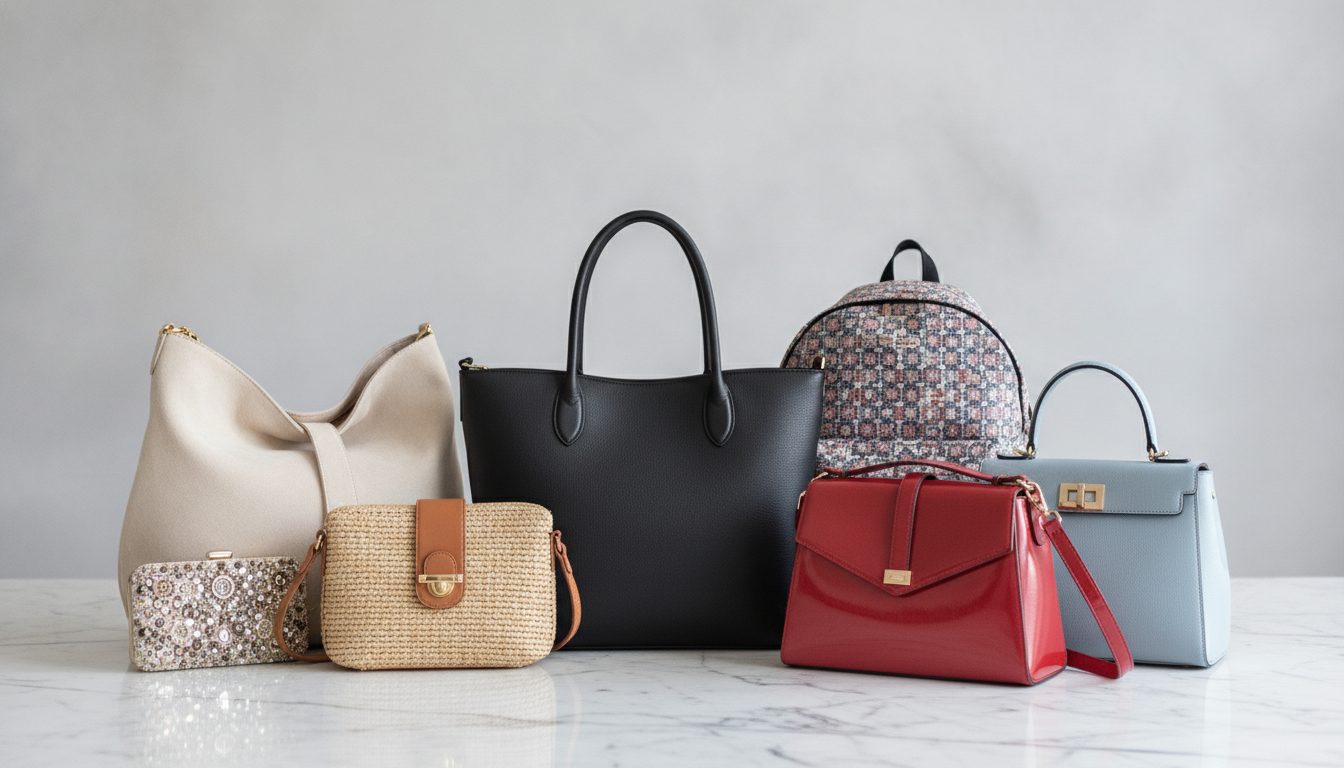
Looking for AI prompts for handbag photos? Below are seven prompts you can copy and paste straight into an AI image generator. They cover handbags, wallets, clutches, sunglasses and other accessories, from clean white-background catalog shots to lifestyle scenes, stitching close-ups and summer still lifes.
They're built for online stores selling leather goods, fashion and accessories, whether you sell on your own site, on marketplaces or through social media. For each prompt you'll find what it's for, why it works and a few variations to fit your own product.
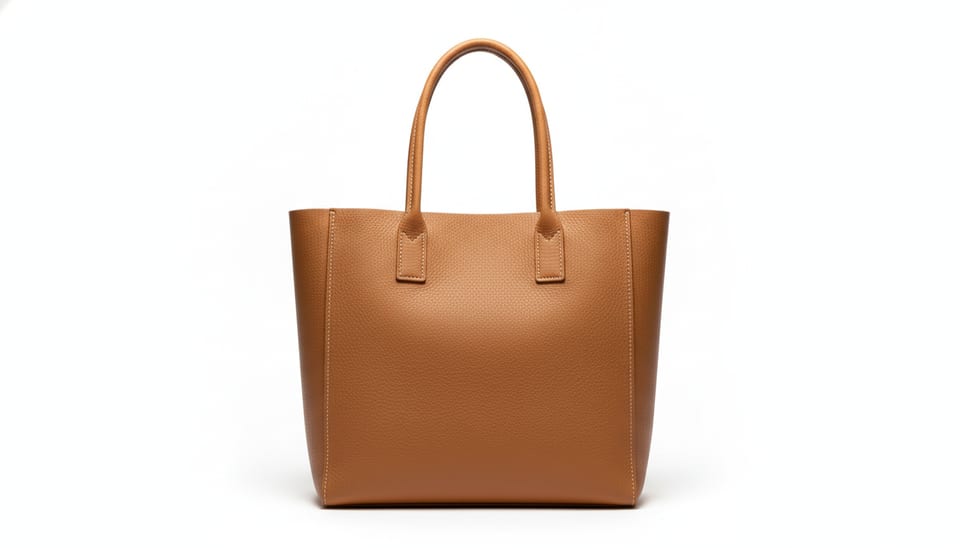
1. Catalog shot on a white background
Use it for: the main image on your product page. Clean background, centered product, nothing to distract the shopper.
Professional e-commerce product photo of a tan leather tote bag standing upright on a seamless pure white background, front view, centered composition, soft diffused studio lighting from two large softboxes, subtle natural shadow under the base, sharp focus on stitching and texture, shot with a 100mm lens at f/8, high resolution, no props, no text
Why it works:
- Lighting: two softboxes give even light with no harsh glare on the leather.
- Lens: a 100mm lens avoids the edge distortion you get with wide angles.
- Aperture: f/8 keeps the whole bag sharp, front to back.
- Shadow: a soft shadow under the base stops the bag from looking like it's floating.
Variations:
- Swap front view for 45-degree angle view to show the side and gusset.
- Replace pure white background with light grey seamless background if your site uses light tones.
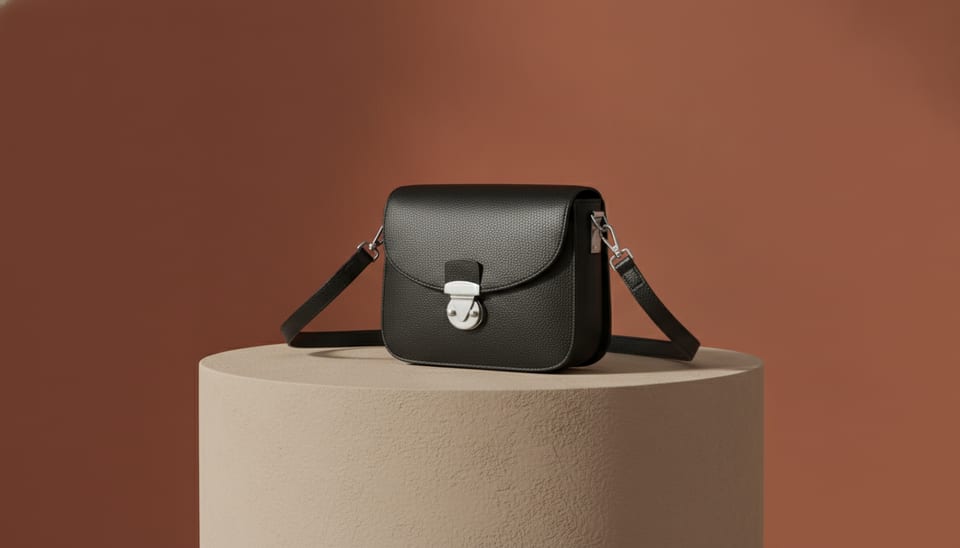
2. Bag on a pedestal with a colored backdrop
Use it for: banners, collection headers or social ads, when you want something more editorial than plain white.
Black leather crossbody bag displayed on a round beige plaster pedestal, three-quarter angle view, solid terracotta colored backdrop, soft directional light from the left creating gentle shadows, minimalist modern composition, editorial product photography, 85mm lens, f/5.6, clean and elegant mood
Why it works:
- Backdrop: a warm solid color contrasts with the black bag and adds personality without clutter.
- Pedestal: lifts the product and makes it the hero, like a shop window display.
- Side light: light from the left builds volume and defines the bag's shape.
- Three-quarter angle: shows the front and side in a single image.
Variations:
- Try sage green backdrop or dusty pink backdrop for spring collections.
- Swap the pedestal for stacked travertine blocks for a more architectural feel.
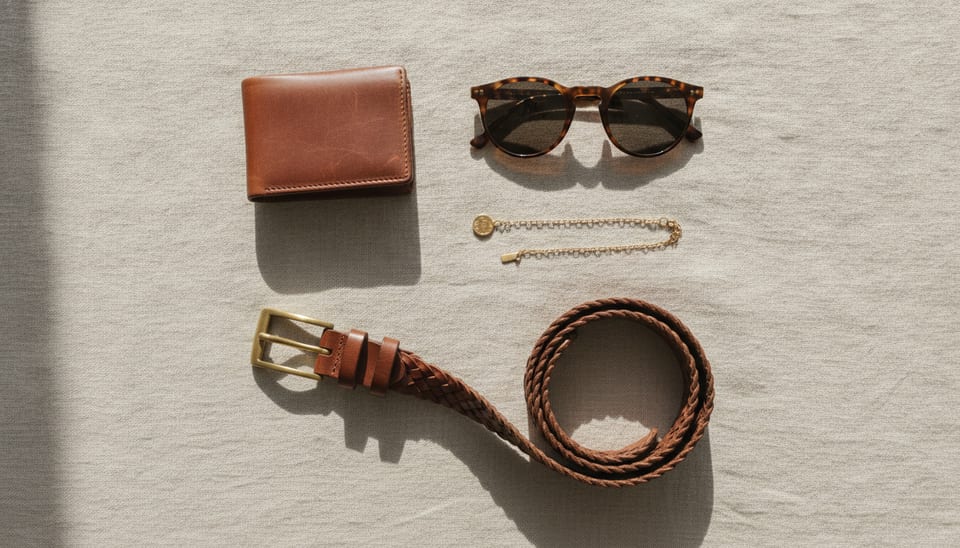
3. Accessories flat lay
Use it for: showing several accessories together. Great for bundles, gift guides or Instagram posts.
Top-down flat lay of a small brown leather wallet, tortoiseshell sunglasses, a gold chain bracelet and a woven leather belt arranged neatly on natural beige linen fabric, soft even daylight from a window, gentle shadows, balanced composition with negative space, overhead shot with a 50mm lens, warm neutral tones, lifestyle e-commerce photography
Why it works:
- Overhead framing: a top-down view keeps everything tidy and easy to compare.
- Surface: linen adds texture without competing with the products.
- Negative space: leaves room to add text or an offer later in your design.
- Window light: soft and natural, perfect for a relaxed, approachable look.
Variations:
- Swap the linen for white marble surface for a more luxurious finish.
- Add a few dried flowers and a coffee cup for more of a lifestyle scene.
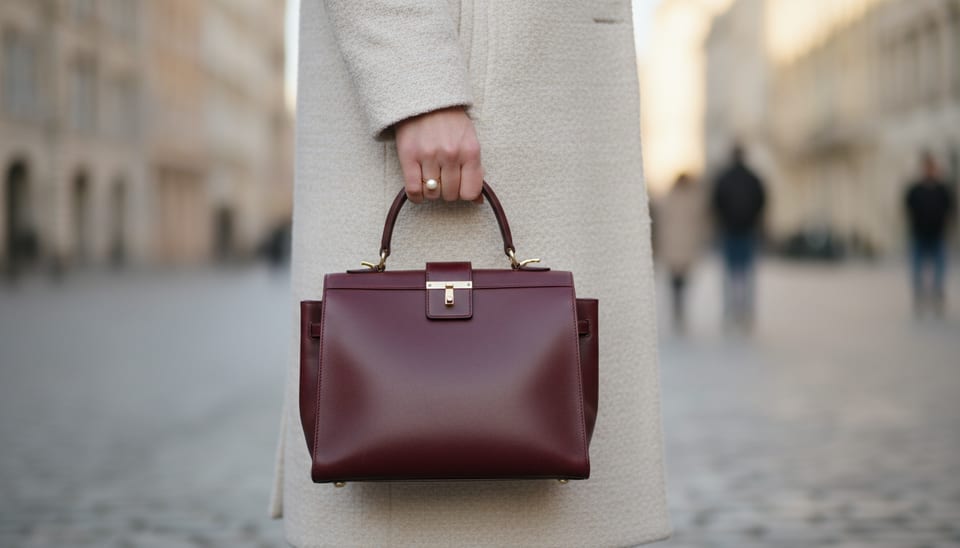
4. Lifestyle: bag in hand on the street
Use it for: helping shoppers see the real size of the bag and how it looks when carried. Works well in your product gallery and in ads.
Close-up lifestyle photo of a woman's hand holding the top handle of a burgundy leather handbag, cropped at the torso so the face is not visible, wearing a cream wool coat, blurred European city street in the background, soft golden hour sunlight, shallow depth of field, 85mm lens at f/2, natural candid fashion photography
Why it works:
- No face in frame: the bag stays the star and there's no face pulling attention away.
- Background blur: f/2 on an 85mm separates the product from the busy street.
- Golden hour: warm evening light brings out the tone of the leather.
- Sense of scale: the hand and coat give shoppers a size reference.
Variations:
- Switch to bag worn on the shoulder, walking pose for shoulder bags.
- Replace the street with bright café terrace or beach promenade depending on your audience.
Heads up: hands and fingers are one of the things AI images most often get wrong. Check them before publishing and regenerate if they look off.
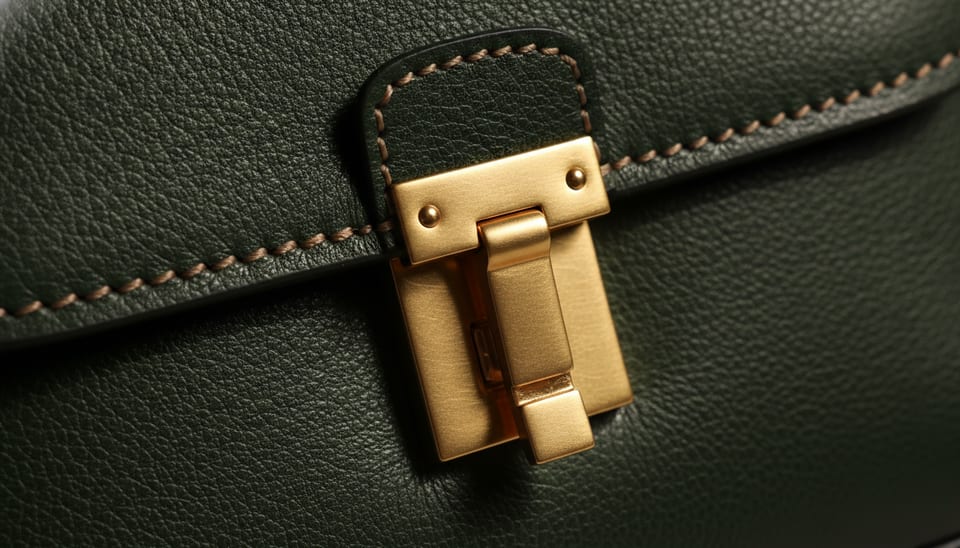
5. Macro close-up of clasp and stitching
Use it for: proving quality. This is the shot that answers "How's the stitching?" or "What's the hardware made of?"
Extreme close-up macro shot of a gold metal clasp and hand stitching on a dark green pebbled leather bag, raking side light revealing the leather grain texture, shallow depth of field with the clasp in sharp focus, dark neutral background, 100mm macro lens, luxury product detail photography
Why it works:
- Raking light: light skimming in from the side picks out the leather grain.
- Macro lens: gets close enough to show individual stitches and finishes.
- Shallow depth of field: the clasp is crisp while everything else softens, guiding the eye.
Variations:
- Swap gold metal clasp for silver zipper pull or magnetic snap closure.
- Try smooth saffiano leather instead of pebbled leather if that's your finish.
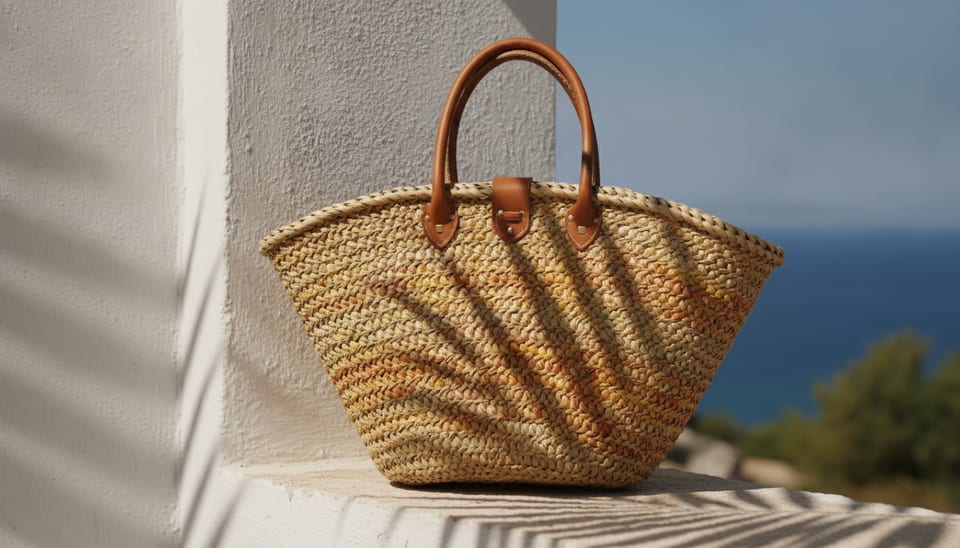
6. Summer still life with hard shadows
Use it for: seasonal campaigns, raffia bags, baskets and beach totes. Gives a bright, Mediterranean feel.
Natural raffia straw basket bag with leather handles placed on a sunlit white stone ledge, hard midday sunlight casting crisp palm leaf shadows across the bag and wall, Mediterranean summer mood, warm tones, slightly low angle, 35mm lens, f/8, vibrant editorial product photography
Why it works:
- Hard light: midday sun creates sharp shadows that instantly say heat and summer.
- Leaf shadows: add visual interest without adding more objects to the scene.
- Low angle: gives the bag presence and makes it feel bigger.
- 35mm lens: brings in some surroundings without stealing focus from the product.
Variations:
- Swap palm leaf shadows for window blind shadows for a more urban look.
- Replace the wall with wooden boat deck or sandy beach with a striped towel.
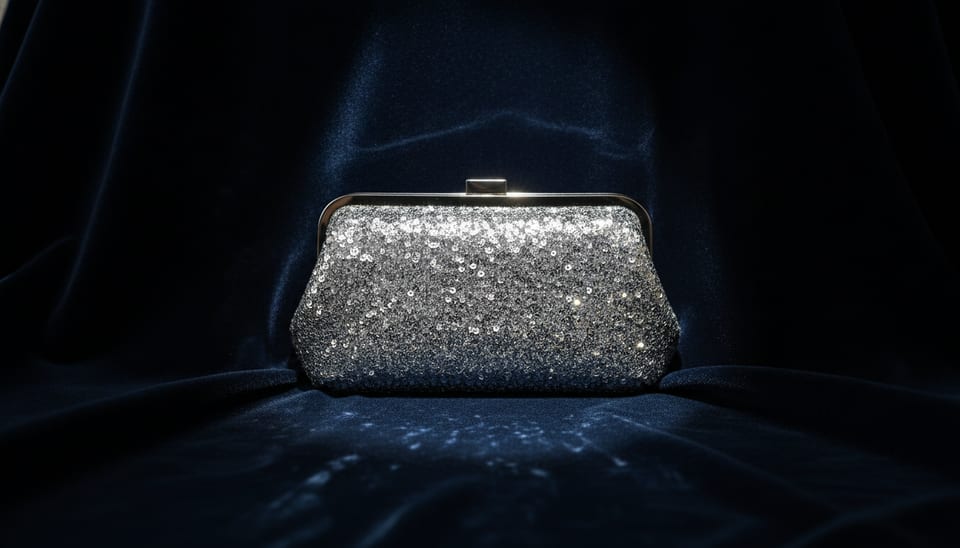
7. Evening clutch with dramatic lighting
Use it for: evening bags, wedding guest collections or the holiday season. It says luxury and special occasion.
Silver sequined evening clutch bag lying on dark navy velvet fabric, dramatic low-key lighting with a single spotlight from above, glittering highlights on the sequins, deep shadows, elegant luxury atmosphere, 70mm lens, f/4, high-end jewelry style product photography
Why it works:
- Low-key lighting: the dark background makes the sparkle pop.
- Single spotlight: focuses the light on the clutch and creates highlights on the sequins.
- Velvet: soaks up light and adds a texture people associate with luxury.
Variations:
- Switch to black satin clutch with crystal clasp for a more understated piece.
- Replace the velvet with black mirror surface to get a reflection of the bag.
How to adapt these prompts to your product
Every prompt above follows the same structure. Once you get it, you can write your own in a couple of minutes:
[photo type] of a [color] [material] [bag or accessory type], [surface or background], [angle], [lighting], [lens and aperture], [mood or style]
Change the material
Material has the biggest impact on how the AI renders texture. A few options to try:
- smooth calfskin leather
- suede
- patent leather
- quilted nylon
- cotton canvas
- woven raffia
- vegan leather
Change the color
Be specific: camel, cognac, olive green or off-white work better than brown, green or white. If your bag mixes colors, describe each part: black body with tan leather handles.
Change the scene
Think about where your customer would actually use the product. A leather backpack fits a train station platform; a belt bag, a music festival; a toiletry bag, a bright hotel bathroom counter. Match the lighting too: soft window light indoors, golden hour or overcast daylight outdoors.
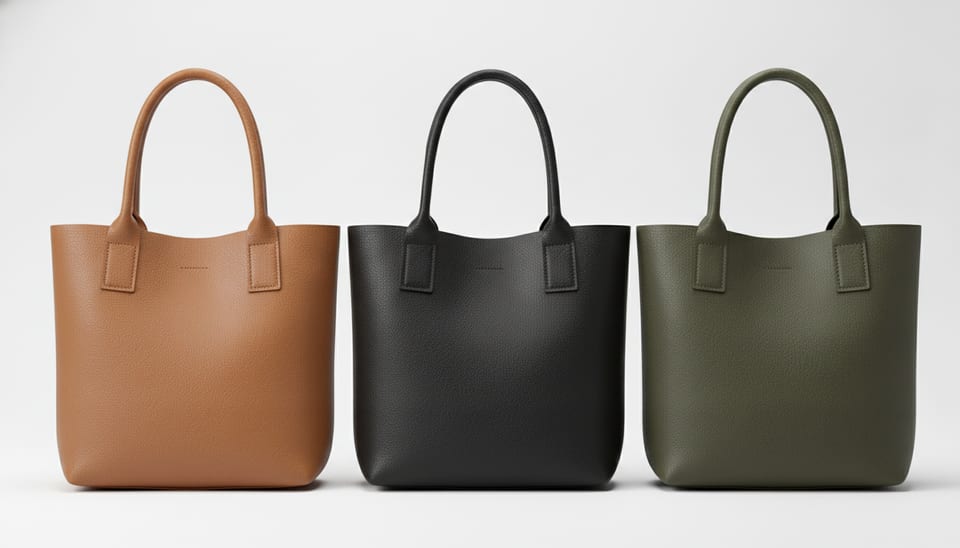
Keep your catalog consistent
When you land on a prompt you like, save it and only change the product and color. That way every product page shares the same background, lighting and angle, and your store looks polished.
One important warning
The image has to represent the product you actually sell. Check that the shape, handles, hardware and color match what you'll ship. If they don't, the customer gets a surprise and is more likely to send it back. Use generated scenes for mood and atmosphere, and always double-check the details.
If you already have real photos of your bags and just need a clean background, you can do it for free with the background remover. It runs in your browser and your images are never uploaded to a server.
How to try these prompts in Pictulab
- Go to Pictulab and create an account. You get 100 welcome tokens, one time, no card required.
- Copy one of the prompts above and paste it into the generator.
- Before generating, you'll see the token cost for that image.
- Review the result and change one thing at a time: color, background or lighting. That way you'll know which part of the prompt drives each change.
- Once you're happy with the image, shrink the file size before uploading it to your store with Pictulab's free image compressor.
If you generate images regularly, there are monthly plans with VAT included: Starter at €12, Pro at €36 and Business at €120. Pay yearly and you get two months free.
Start free — 100 tokens on us, no card required.
You might also like:
- [ENLACE: AI prompts for jewelry and watch photos]
- [ENLACE: how to shoot white-background product photos for your online store]
FAQ
Do I need to know photography to use these prompts?
No. The photography terms (softbox, f/8, golden hour) are already built in, so you can copy them as they are. Understanding what each one does just makes it easier to tweak the result, which is why each prompt includes a short explanation.
Can I use these images as the main photo on a marketplace?
It depends on each platform's rules. Some marketplaces require a white background for the main image, so prompt 1 is the best fit there. Check each platform's guidelines and make sure the image accurately reflects the product you're selling.
Why does my brand logo come out distorted?
AI image models often struggle to reproduce exact text and logos. It's better to ask for an unbranded bag and add your logo afterwards, or start from a real photo of your product.
How much does it cost to try the prompts?
When you sign up you get 100 free tokens, no card required (100 tokens equals €1). Every generation shows its cost before you run it, so you always know what you're spending.
Do these prompts work for other accessories?
Yes. Swap the product in the prompt for sunglasses, belts, wallets, scarves or backpacks and adjust the scene. The lighting, framing and lens structure works the same way.